
Block a request
Stop a request from ever leaving the browser, to prove a dependency or simulate an outage. The row stays in the table, marked, so you keep the evidence.
Updated
A block pattern stops matching requests from being sent at all. The usual reasons: proving that a page really depends on the endpoint you think it does, or simulating a third-party outage you cannot arrange for real — an analytics host that is down, a payment provider that stops answering.
This is the only one of the four pattern lists whose effect leaves the tracker page. Track and Skip decide what is recorded, Mask decides what is drawn; Block changes what your browser actually does.
Before you use it, read Patterns: one rule, four places — matching works the same way, with one exception this page covers.
Add a pattern
Open the Block list in the toolbar and type a substring of the URLs you want stopped:
doubleclick.net, /v2/reports, analytics.example.com.
The note under the input is the whole feature in two sentences: "These requests are never sent. Blocking stops when this window closes, and a pattern broad enough to match a page will stop that page from loading."
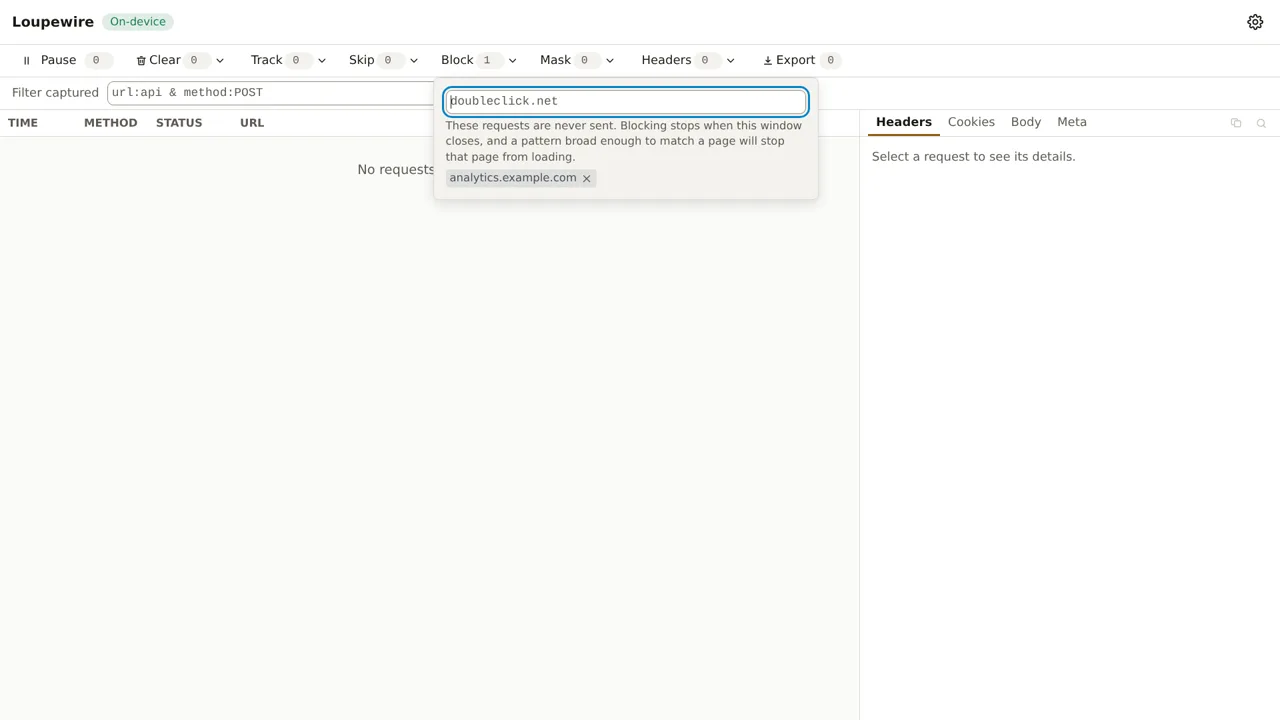
Block is the one list that refuses characters. Your pattern becomes a rule for the browser's own
rule engine, and *, ^ and | mean something to that engine — a rule written with them would
match URLs you never described, silently. They are refused, along with non-ASCII text, which the
browser rejects outright. The guide on patterns has the details and the way around the second one.
A blocked request still appears
This is the part people do not expect. A blocked request is exactly the one you want to look at, so
it gets a row: method, URL, resource type, and a BLOCKED marker in the status column.
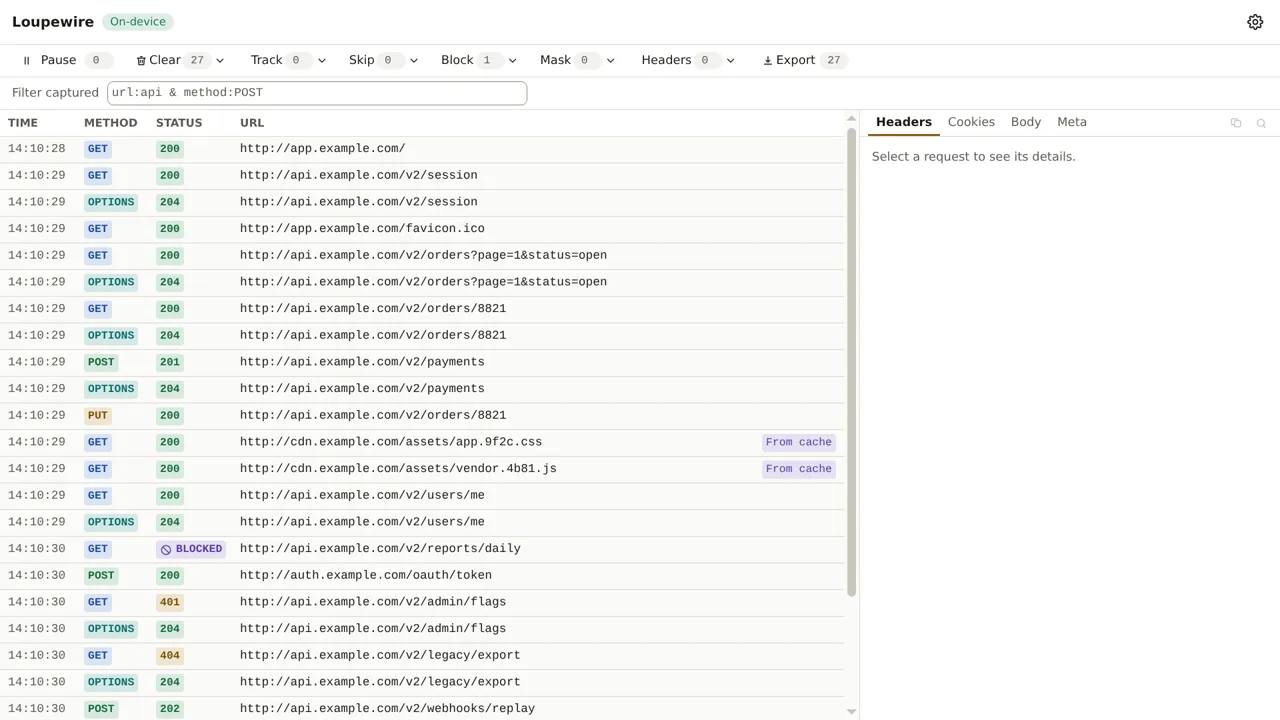
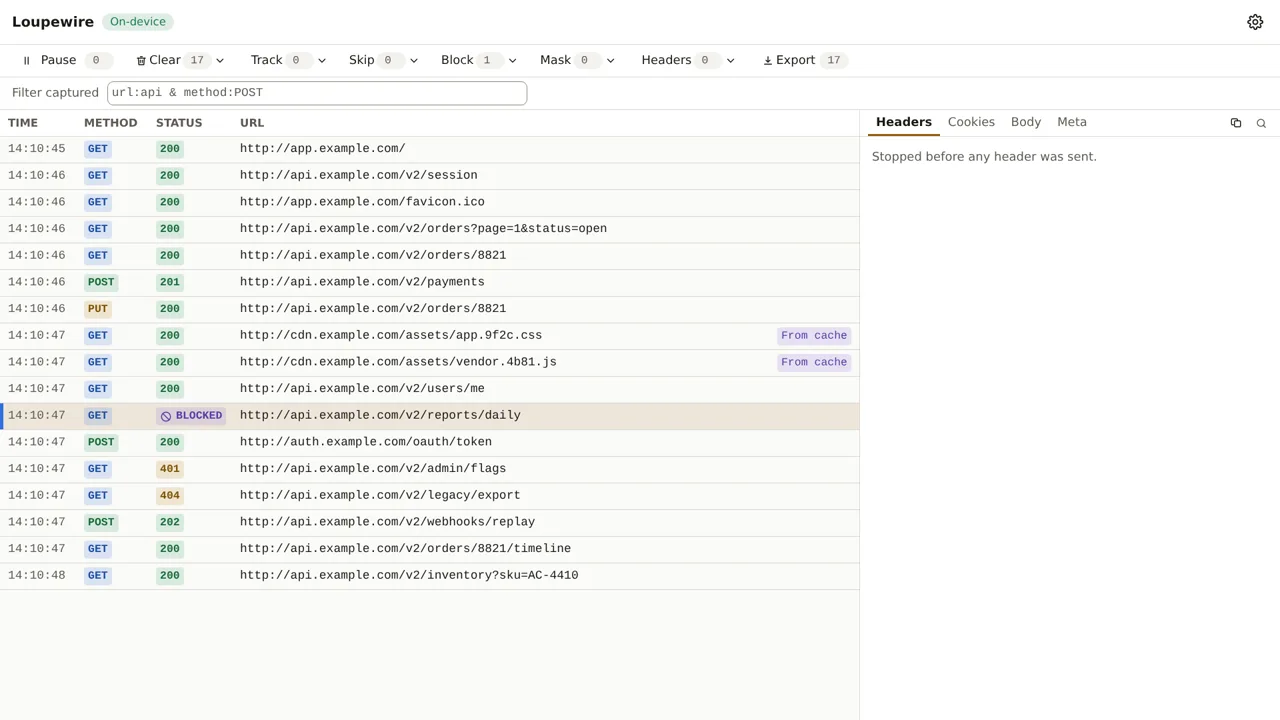
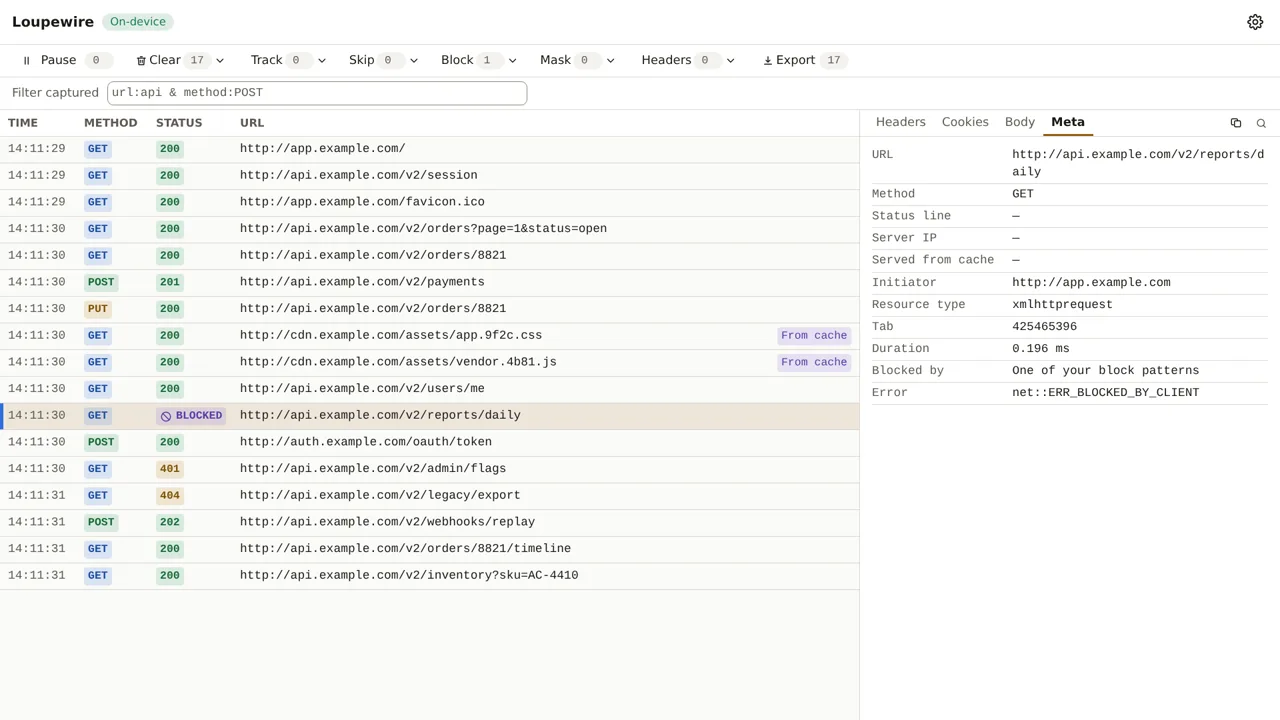
Open it and the tabs do not all say the same thing, because they cannot:
- Headers and Cookies are empty, and say why: the request was stopped before any header was sent. They do not claim the request "had no cookies" — nobody knows what it would have carried.
- The Body tab still works. The browser reports a request body before the rule stops the request, so a blocked POST still shows what it was about to send. That is often the reason you blocked it.
- Meta names who blocked it, and puts the browser's own error string underneath rather than replacing it. It also carries the duration, which for a blocked request is a fraction of a millisecond — itself evidence that nothing went to the network.
Who blocked it
BLOCKED does not always mean you. The browser reports the same error for any extension's blocking
rule, so with an ad blocker installed most blocked rows are somebody else's. The tracker asks, once,
at the moment of the block, whether one of your patterns matched — and the row keeps that answer
for good.
That means the attribution never changes when you edit your pattern list afterwards. A row says what was true when the block happened, which is the only thing evidence is allowed to do.
On Brave there is a third case, and it is invisible: Shields blocks below the level any extension can see, so a request Shields stopped produces no row at all. If traffic you expect is simply missing, check Shields before blaming the tracker.
Blocking lives and dies with the window
Close the tracker and every block pattern stops. Open it again and the patterns you kept come back into force.
This is deliberate and it is the safety property of the feature. The browser rule a pattern becomes would otherwise outlive the page that wrote it — and a rule left behind is invisible: no window open, nothing to inspect, and a site that simply does not load. Nobody connects that with an extension window they closed an hour ago. So the contract is simple: the tracker window is open, therefore blocking is in force.
Common mistakes
- A pattern broad enough to match the page.
example.comstops the document request too, and the tab shows an error page instead of your app. Name the narrowest thing you mean. - Expecting Block to quieten the table. It does the opposite — it adds rows, marked. If you want fewer rows, that is Skip or the filter.
- Expecting it to apply everywhere, all the time. It applies while the tracker is open. That is the whole design, not a limitation waiting to be lifted.
- Reading
BLOCKEDas "my pattern did this". Check the Meta tab. Another extension produces the same row.
Not in this version
Redirecting or rewriting a URL is deliberately not here — it is a different product from an inspector, and the roadmap says so rather than "later". Regular expressions and matching by method are planned. So is blocking by resource type rather than by URL.