
Mask and the secret preset
Tokens and cookies are covered before they reach the screen, and stay covered in the file. What the preset already knows, and what only you can name.
Updated
Masking covers the value of a field so you can screenshot a request, or attach it to a ticket, without handing over a live token. It is the feature the whole product is arranged around: the export is only useful because what comes out of it is already safe.
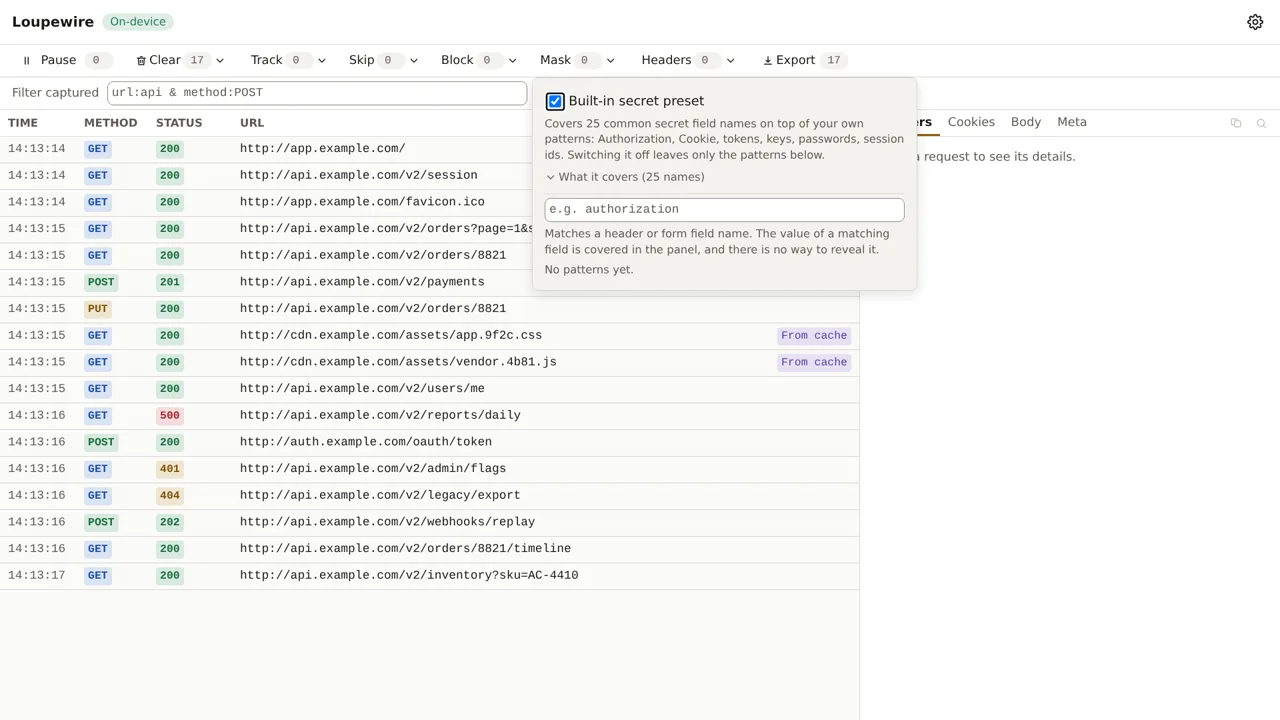
Two things do the covering. A built-in secret preset, on from the first request. And your own Mask list, for the names the preset cannot know.
The preset covers the obvious ones before you configure anything
Install the extension, open the tracker, load a page: Authorization, Cookie, Set-Cookie and
two dozen common token, key, password and session field names are already covered. Nothing to set
up, nothing to remember.
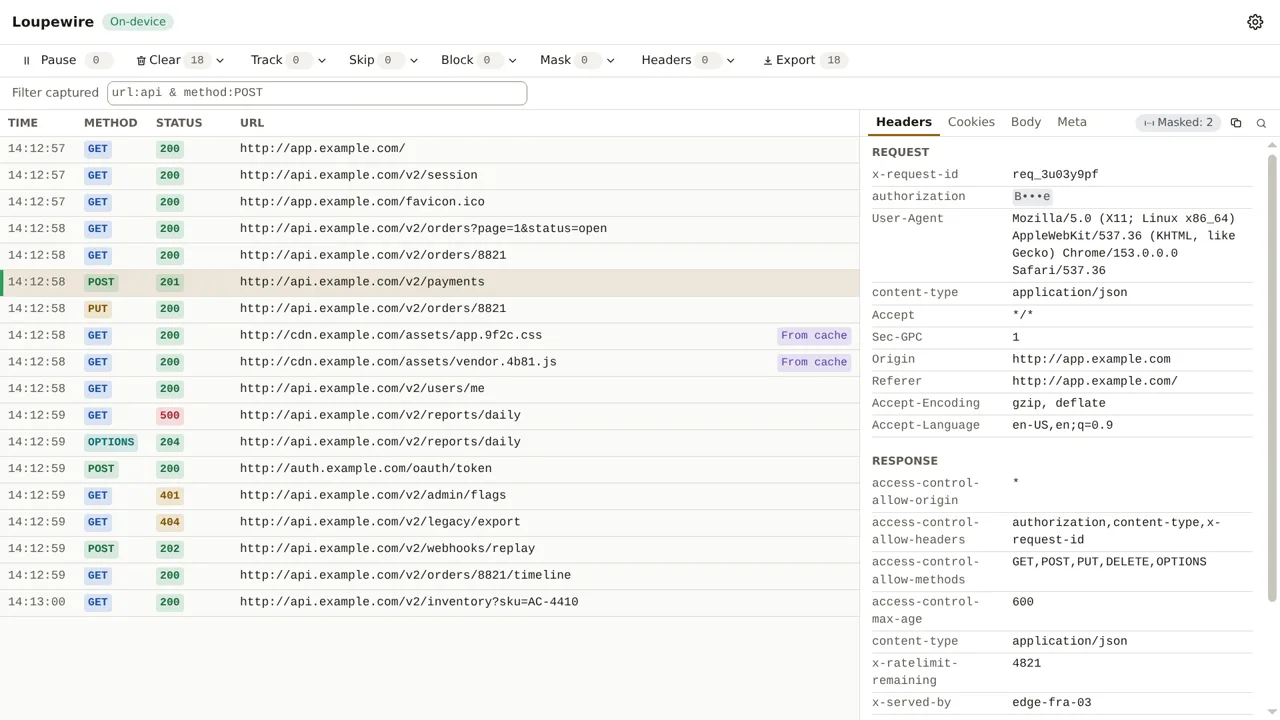
A covered value is drawn as B•••e — first character, three dots, last character — and a value of
four characters or fewer is covered whole. The dots are always three, whatever the length: the
length of a token is information too.
There is no reveal control. Not a button, not a tooltip, not a hidden attribute in the page. The feature exists for the screenshot you are about to take, and a hover that hands the value back would defeat it. To read a value, switch the preset off for this window, or remove the pattern.
The preset exists because of a real file. A test export of ordinary browsing carried live session cookies: a few were covered by accident, and the rest were not, because nobody had told the product about cookies. That file is what a first-time user produces on day one — so now the product knows about them before anyone configures anything.
Your own patterns cover the rest
The preset cannot know your field names. x-tenant-key, internalSessionRef, whatever your API
calls the thing you must not paste into a ticket — those go in the Mask list.
A mask pattern matches a field name, not a URL. This is the single most common mistake with the
four pattern inputs, and Patterns: one rule, four places is the page that
explains why. Type authorization, not /api/.
Covered values look identical whether the preset or your pattern produced them. That is deliberate: a covered value is a covered value.
Switching the preset off
The preset can be switched off for this window, and only there — there is no setting for it on the options page. Reading a token while debugging an auth failure is a real need, and the mechanical consequence is the good part: covered is the only state a new window can start in. You cannot leave the protection off permanently, and there is nothing to reset.
When it is off, exporting warns you: "The built-in secret preset is off for this window, so only the patterns you wrote are covered."
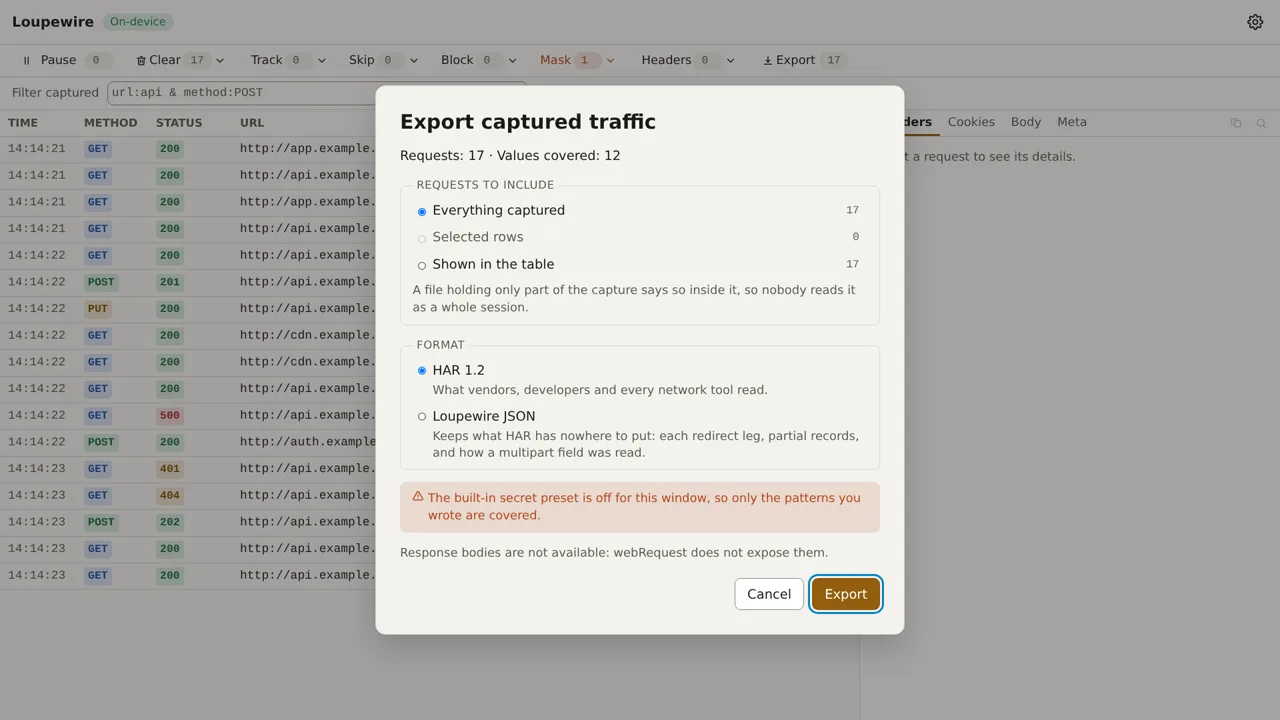
If you have written no patterns of your own either, the warning is blunter: nothing in the file will be covered at all.
The file is safer than the screen
Everything covered on screen is covered in an export. One thing more is covered only in the
file: a secret in a query parameter. …/callback?access_token=eyJ… is readable in the URL
column and covered in the exported file, in both the URL and the parsed query string.
That asymmetry is a decision, not an oversight. Covering the URL column would cost you the one column you scan to find a request, and the filter matches the text the table shows. If you find a covered URL in a file and a readable one on screen, you are looking at this decision — the exported JSON says so in its own notes, so whoever receives the file can find it too.
What masking cannot reach
- A secret in a URL path.
…/reset/9f2c…has no field name, so no pattern can match it. Guessing which path segment is a secret is not masking. - A value whose field name says nothing.
{"data":"eyJ…"}is covered only if you namedata. - A response body. There are none — the browser does not expose them.
- Anything you did not name, beyond what the preset knows. That is the promise working as designed, and it is why the preset exists.
Common mistakes
- Typing a URL into the Mask list. It matches field names. Nothing will be covered and the feature will look broken.
- Assuming your custom header is covered. The preset knows common names, not yours. Check the panel: the badge on the tab strip counts what is covered in the request in front of you.
- Exporting with the preset off and ignoring the warning. The file then carries only what your own patterns cover.
- Expecting a rule you wrote to uncover a value. A header set by your own header rule is still covered if a pattern names it. The file goes to a third party regardless of who typed the value.
Not in this version
A masking report attached to each export — which fields were covered, by which pattern — is planned. So is covering the URL column on screen, which needs the decision above to be revisited rather than quietly changed.