
Export and copy
Four ways out of the browser, all of them already masked. What the file says about its own scope, and the one thing the export dialog refuses to claim.
Updated
This is the step the product exists for: getting evidence out of the browser and into a ticket without getting a live token out with it. The usual path — export a HAR from DevTools, run it through a sanitizer, screenshot it, redact the screenshot by hand — takes several minutes and has several places to make a mistake. Here it is one click, and what comes out is already covered.
Four ways out
| Rendering | For | Goes to |
|---|---|---|
| HAR 1.2 | vendors, developers, every network tool | a file |
| Loupewire JSON | what HAR has nowhere to put | a file |
| Redacted text | a ticket comment or a chat message | the clipboard |
| Redacted cURL | a ticket, or a terminal | the clipboard |
The two files are for whoever will load them into a tool. The two clipboard formats are for the place most evidence actually ends up: a comment box. Nothing in any of them re-derives a value or decides what to cover — they all lay out the same already-masked snapshot.
There is no unmasked copy and no toggle for one. A "copy raw" button two pixels from "copy redacted" would be the one control here that puts a live credential on the clipboard from a keystroke, with nothing in the clipboard afterwards to say which one you pressed. To read a real value, switch the secret preset off for the window, deliberately, where a warning comes with it.
Choose what goes in
Open Export in the toolbar. Three scopes, each showing the number of requests it would write:
- Everything captured — the whole buffer.
- Selected rows — what you picked in the table.
- Shown in the table — what the filter is displaying right now.
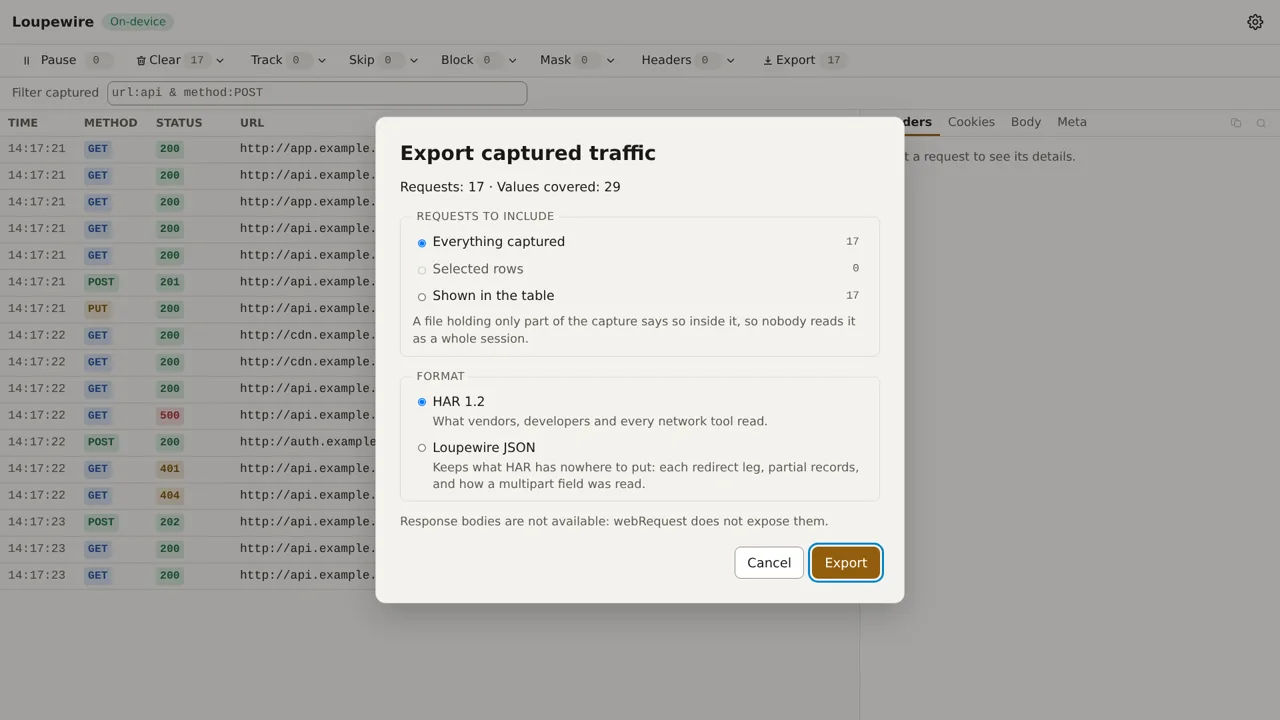
When you have a selection, that is the default — of the two ways to be wrong, the narrower one cannot over-share.
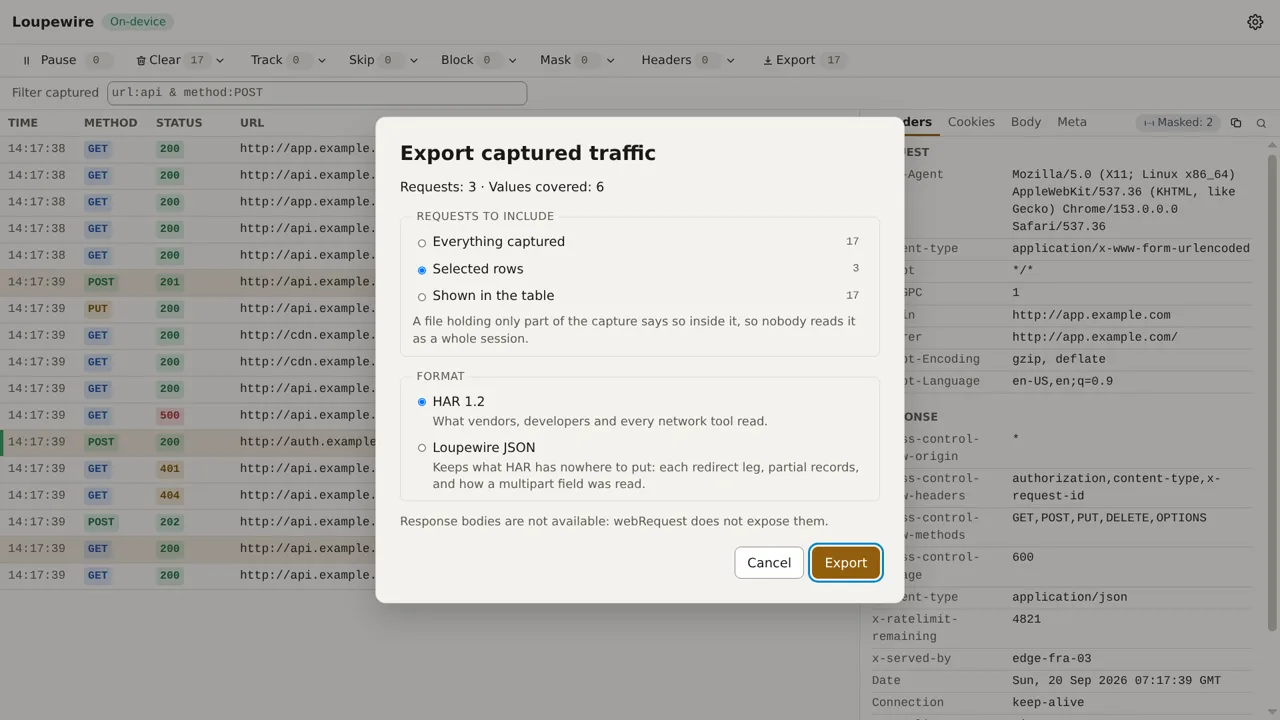
A subset says so inside the file. Twelve selected rows produce a file that opens exactly like a whole session, and a recipient who mistakes one for the other draws conclusions from an absence that was really a filter. So the scope travels into the file: a structured field in Loupewire JSON, a sentence in the HAR log comment, which is what someone reading the archive in an editor will actually see.
A selected row that the filter is currently hiding is still exported. The selection outlives the filter deliberately, and an export that quietly dropped one would be the same class of error as a value that was supposed to be masked and was not.
What the dialog will not tell you
Press Export and the product says the file was built and handed to the browser. It does not say the file was saved.
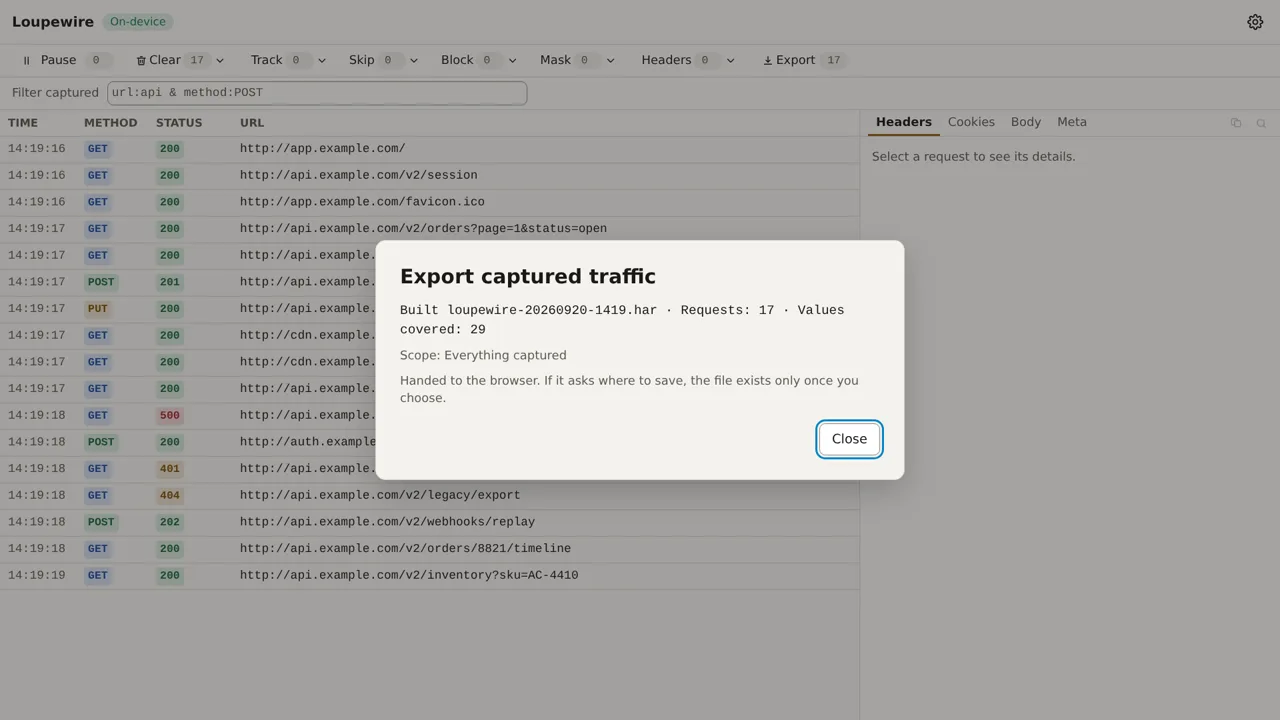
That wording is the result of a measurement, not caution for its own sake. A page hands a file to the browser and gets the same answer whether the file landed in your downloads folder or you cancelled the save dialog — the browser does not tell the page which happened. Claiming "saved" would be a claim the product cannot support, in a tool whose whole value is that its claims hold up.
Copy is allowed to be definite
The clipboard is the other way out, and here the product can say the thing happened.
Select a request, open Copy this request, and pick redacted text or a redacted cURL command.
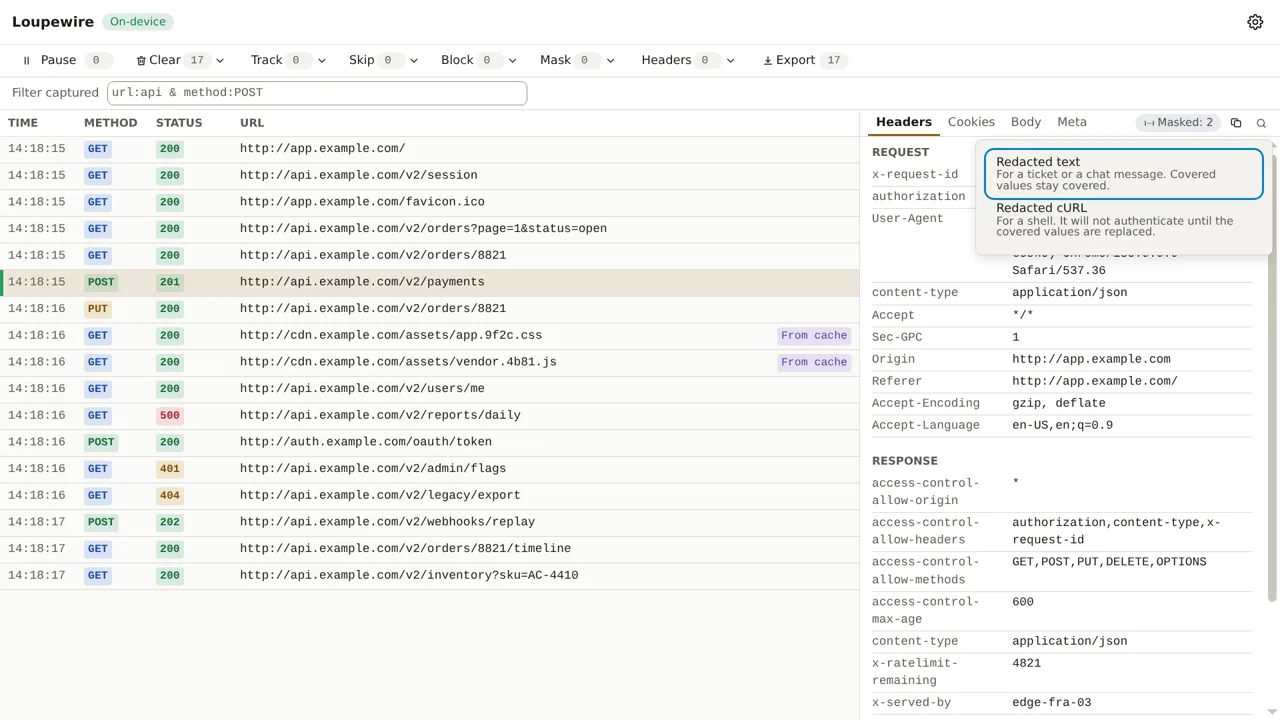
A copy that reports success really is on the clipboard — measured, by pasting it back and comparing it byte for byte — and a copy that fails leaves whatever was there untouched. That is why this confirmation names what it copied and how many values it covered, while the export dialog stays careful.
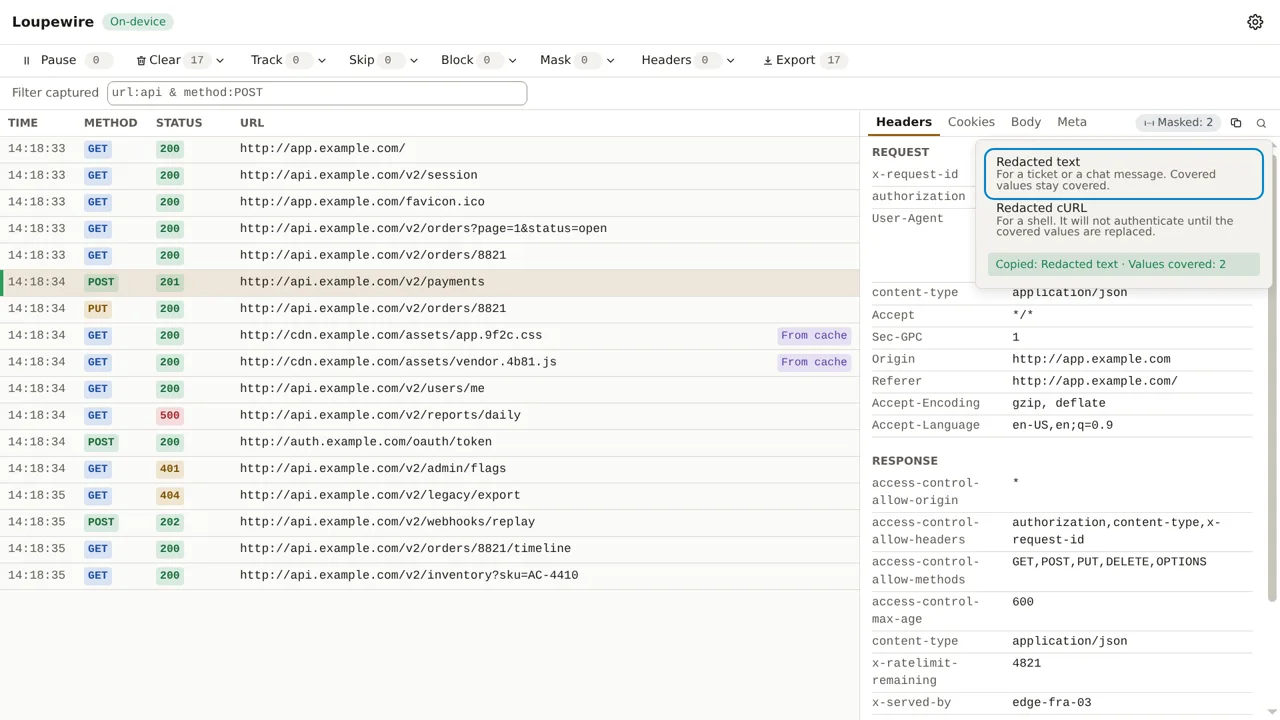
The cURL command is worth one note: covered values stay covered in it, so it will not authenticate. The command says so in its own first lines. It is there to reproduce the shape of a request, not to replay it with your credentials.
Common mistakes
- Exporting with the secret preset off. The dialog warns you; the warning is worth reading. See Mask and the secret preset.
- Exporting a filtered view and forgetting to say so. You do not have to — the file says it for you. But you should know it is a subset before you attach it.
- Expecting response bodies. There are none, anywhere in the product, for the reason the first-capture guide gives.
- Pasting the cURL command and expecting a 200. It carries covered values, on purpose.
- Assuming the file covers the URL too. It does — more than the screen does. A secret in a query parameter is covered in the file and readable in the table, which the mask guide explains.
Not in this version
A masking report attached to each export — which fields were covered, and by which pattern — is planned, as are per-request notes that travel into the file. Saved sessions that survive the window are a separate planned feature; today, an export is the only thing that outlives the tracker.