
Filter the table
One input, five fields and two operators. The filter hides rows and never removes them, which is what makes it the safe way to narrow a capture.
Updated
The filter bar sits above the request table and narrows what you are looking at. It hides rows; it never removes them. Clear the box and everything comes back, including the rows that arrived while the filter was on. That is the difference between it and Skip, and it is the reason to reach for the filter while you are still working out what you are looking for.
The query language
A term is field:value. A bare word is a URL term, so typing payments means
url:payments.
Five fields:
| Field | Matches | Example |
|---|---|---|
url: |
anywhere in the URL | url:/v2/orders |
method: |
the method | method:POST |
status: |
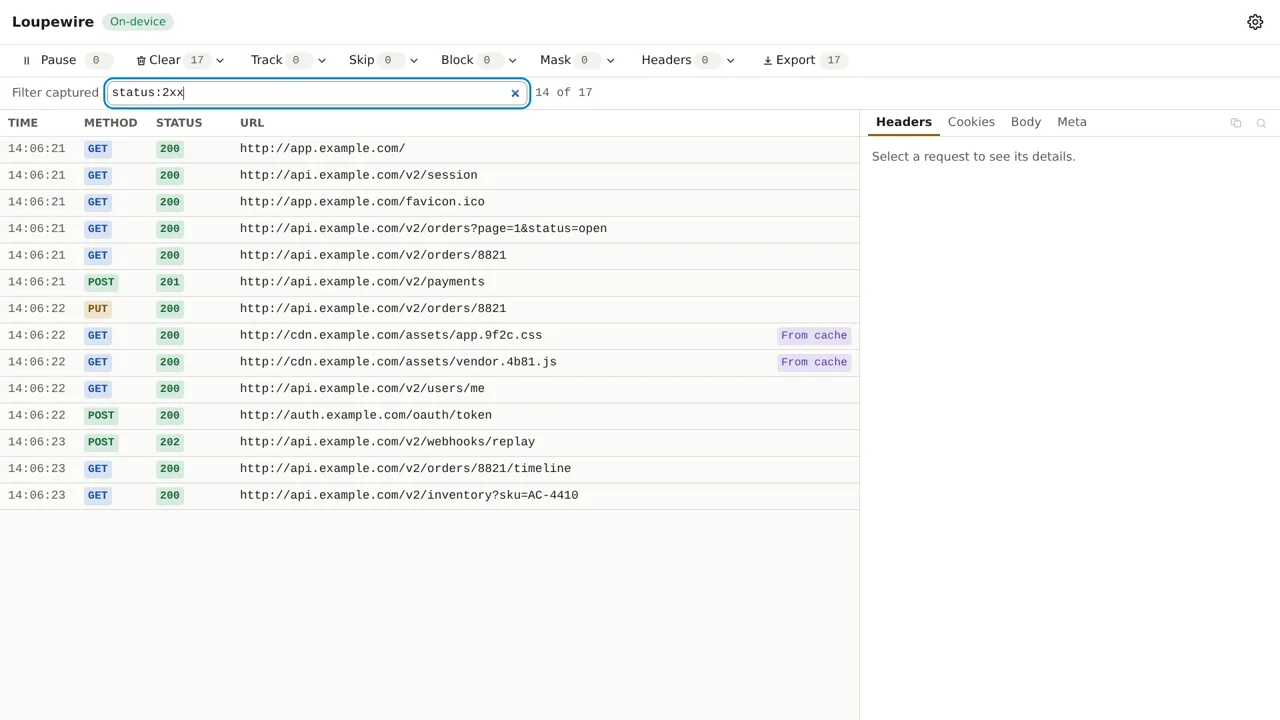
the status, or a class | status:404, status:2xx |
date: |
the time shown in the TIME column | date:13:59 |
cache: |
whether it was served from cache | cache:yes |
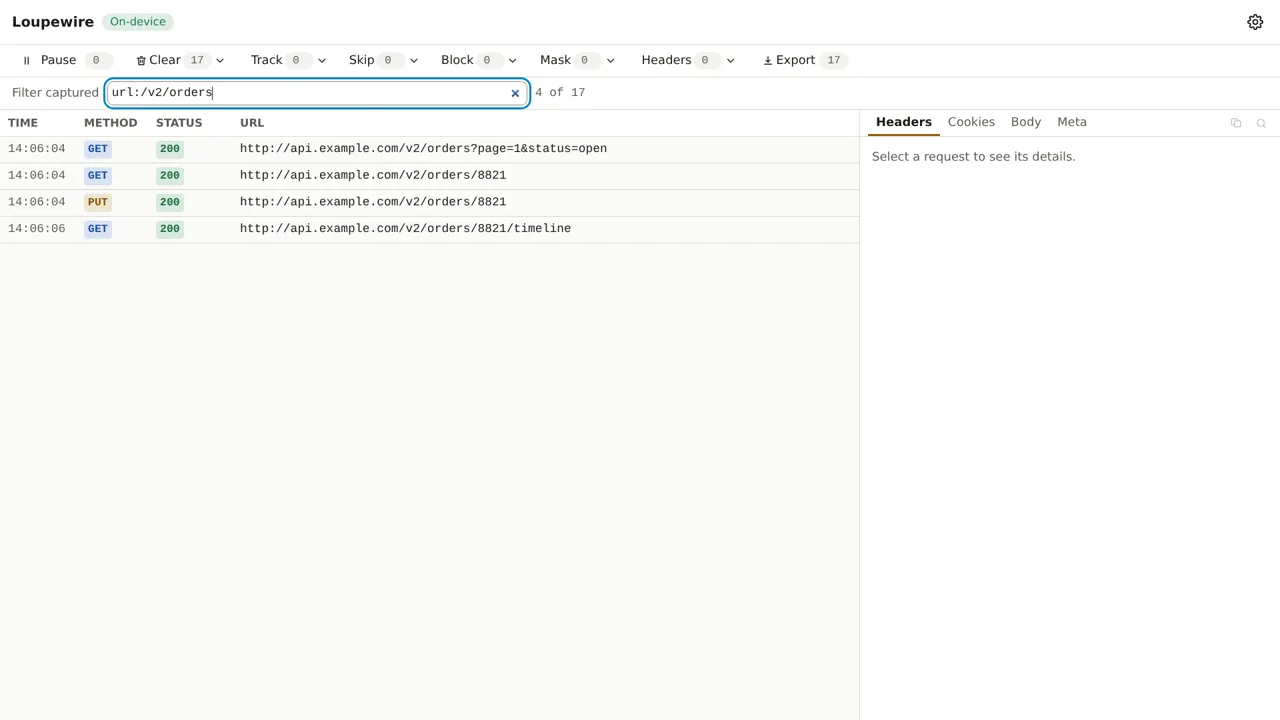
Values are case-insensitive substrings of the text the table shows, which is why date: matches
what you can read in the TIME column rather than some internal timestamp.
Two operators
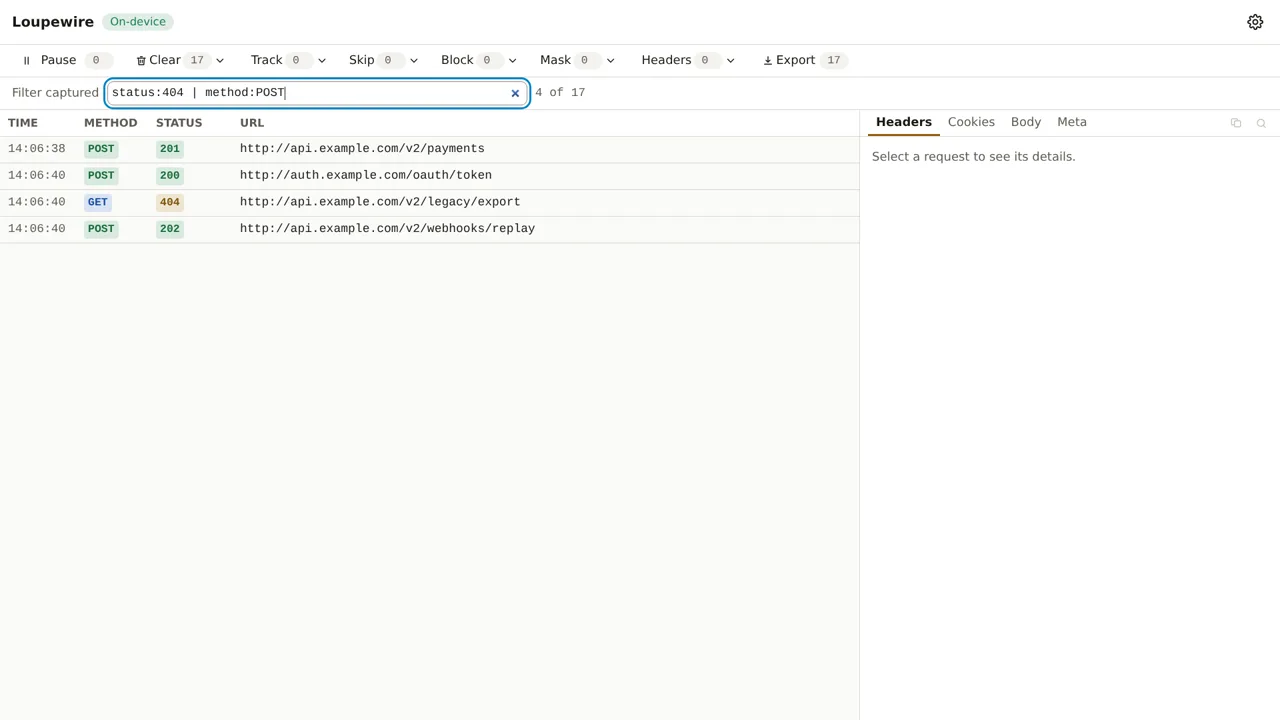
& is AND, | is OR, and & binds tighter — a | b & c means a | (b & c), the same rule as
every language you already know. There are no parentheses and no negation.
When nothing matches
An empty table means one of three different things, and the message says which:
- "No requests captured." — nothing has arrived yet.
- "No request matches this filter." — rows exist, this query excludes them.
- "Capture is paused." — recording is off.
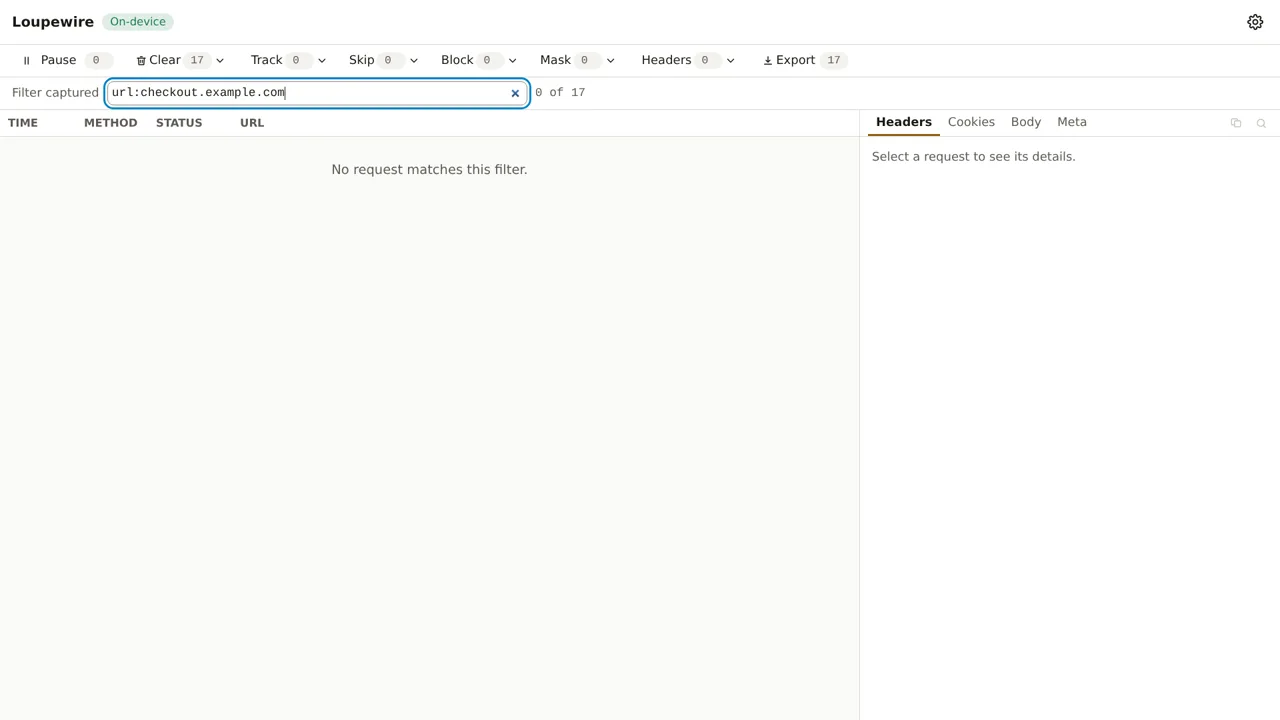
Reading the first message when the second is true is how people conclude that capture is broken, so the product never collapses them into one.
Two more behaviours worth knowing:
- A half-typed query changes nothing. If the filter cannot be parsed, the table stays exactly as it was rather than emptying — an unparseable expression is a fact about your typing, not about the traffic.
- An unknown value matches nothing. A request still in flight has no status yet, so it fails
status:200,status:2xxandstatus:0alike. "Not known yet" is not zero.
The filter and your export
The filter is not only a view. When you export, one of the scopes is the rows the table is showing now — so filtering down to the five requests that matter and exporting that is a two-step job. The file records that it holds a subset, so nobody reads it as a whole session.
The same goes for Clear: "Clear shown" removes exactly the rows the filter is displaying at the moment you press it.
Common mistakes
- Expecting
!or parentheses. Neither exists. A half-rich syntax is harder to predict than a small one; if you need "everything except", use Skip — with its cost — or narrow the query from the other side. method:with nothing after it. That is an error, not "any method". Matching everything would hide the typo behind a full table.- Assuming the filter reduces memory. It does not. Every hidden row is still in the buffer, and still counts toward the window's ceiling. Clear is what frees rows.
- Expecting the filter to survive. It is not stored anywhere: close the window and it is gone, along with everything else in it.
Not in this version
Parentheses, negation, regular expressions and remembering a filter across sessions are all on the roadmap or deliberately left out; the guide on patterns says which is which for matching itself.