
Patterns: one rule, four places
Track, Skip, Block and Mask all take a pattern and do four different things with it. One matching rule, and the differences that decide what you see.
Updated
Four buttons in the tracker toolbar take a pattern: Track, Skip, Block and Mask. They look alike, they accept almost the same text, and they do four different things with it. This page explains the matching rule once. Every other guide assumes it.
The one sentence worth memorising: Track and Skip decide what is recorded, Block decides what is sent, and Mask decides what is shown.
How a pattern matches
A pattern is a case-insensitive substring. Not a wildcard, not a regular expression, not a glob.
api matches https://api.example.com/v2/orders and https://shop.example.com/api/cart, because
the text appears somewhere in the URL.
Three things follow from "substring":
- The whole URL is searched, scheme included.
//api.matches;api.example.commatches;example.com/apidoes not matchhttps://api.example.com/, because that text never appears in that order. - There is no way to anchor. You cannot say "the URL must start with this". You say more of
it instead:
https://api.example.com/v2/is a perfectly good pattern. - Nothing is escaped, because nothing is syntax. A dot is a dot. The one exception is Block, and it is below.
Matching by regular expression or by HTTP method is on the roadmap and not available today.
Each list has its own guide, and this page is the part they all share: Track and Skip, Block a request, Mask and the secret preset, and the URL filter on request header rules.
Mask is the one that does not match a URL
Mask matches the name of a field — a header, a cookie, a form field — and covers that field's value. It never looks at a URL.
This is the single most common misreading of the four inputs. A pattern /api/ in the Mask list
covers nothing, because no header is called /api/. What you want there is authorization, or
token, or the name of the field as it appears in the detail panel in front of you.
The reason it works on names is that the name is the part you can type. The value is the secret: it rotates every session and nobody can type what they do not know. The name is stable and it is already on screen.
A covered value is drawn as B•••e — first character, three dots, last character — and a value of
four characters or fewer is covered whole. There is no reveal control anywhere in the product, and
the value is not hidden in a tooltip or an accessible label either. The feature exists for the
screenshot you are about to take.
The input says so itself: the Mask field's note reads "Matches a header or form field name. The value of a matching field is covered in the panel, and there is no way to reveal it."
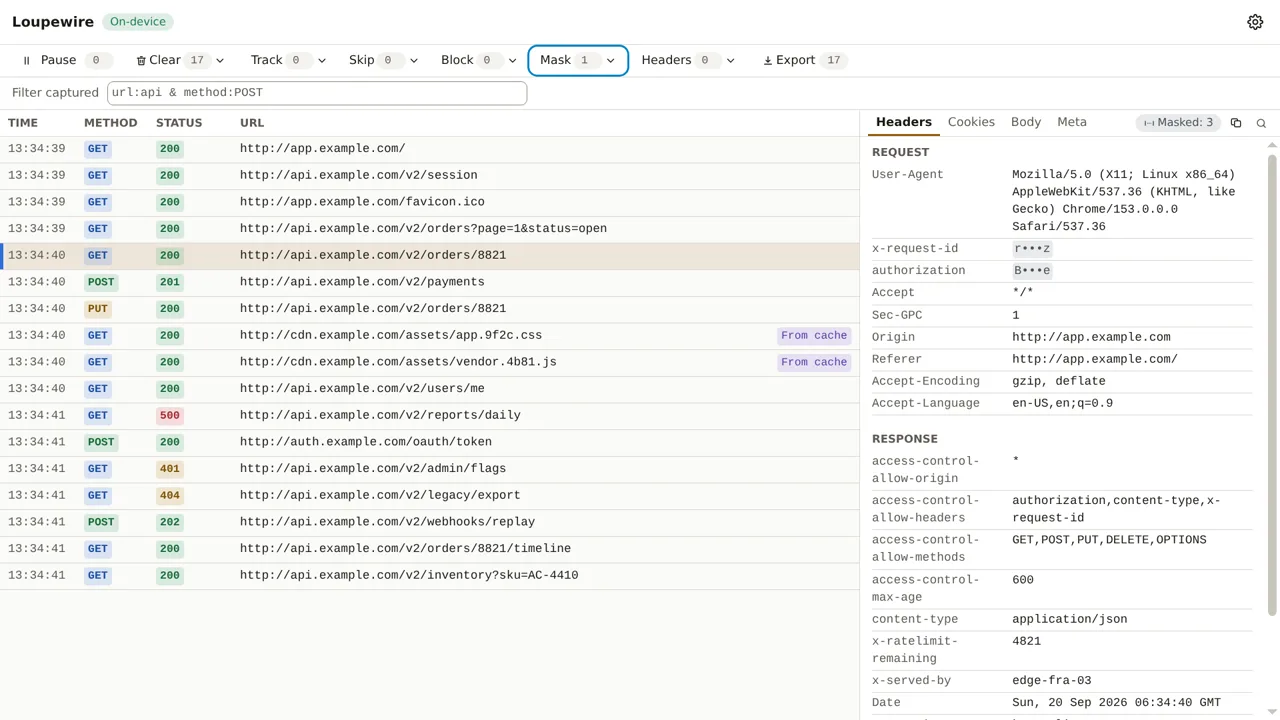
Those two covered values in the panel came from different places, and nothing on screen
distinguishes them. x-request-id is covered because a mask pattern was typed for it;
authorization is covered because the built-in secret preset already knows that name. That is
deliberate — a covered value is a covered value, whoever asked for it.
An empty list means different things
Two of the lists invert each other, and both are right:
- An empty Track list records everything. It is the state before you write your first pattern, and it is what makes the tracker useful the moment it opens. A Track list with one entry in it records only what matches that entry.
- An empty Mask list covers nothing — except the built-in secret preset, which is on by default and covers the common credential field names whether you have configured anything or not.
An empty pattern is refused in all four lists: "Type something to match". An empty string is a substring of every URL, so one blank entry in the Skip list would quietly switch capture off with nothing on screen to explain why the table stopped filling.
When Track and Skip disagree, Skip wins
The rule the tracker applies to every request is exactly this:
record it if the Track list is empty or the URL matches a Track pattern, and the URL matches no Skip pattern.
So a URL that matches both lists is not recorded. Skip is the more specific statement — you are naming noise inside a region you otherwise want — and it is the one that wins.
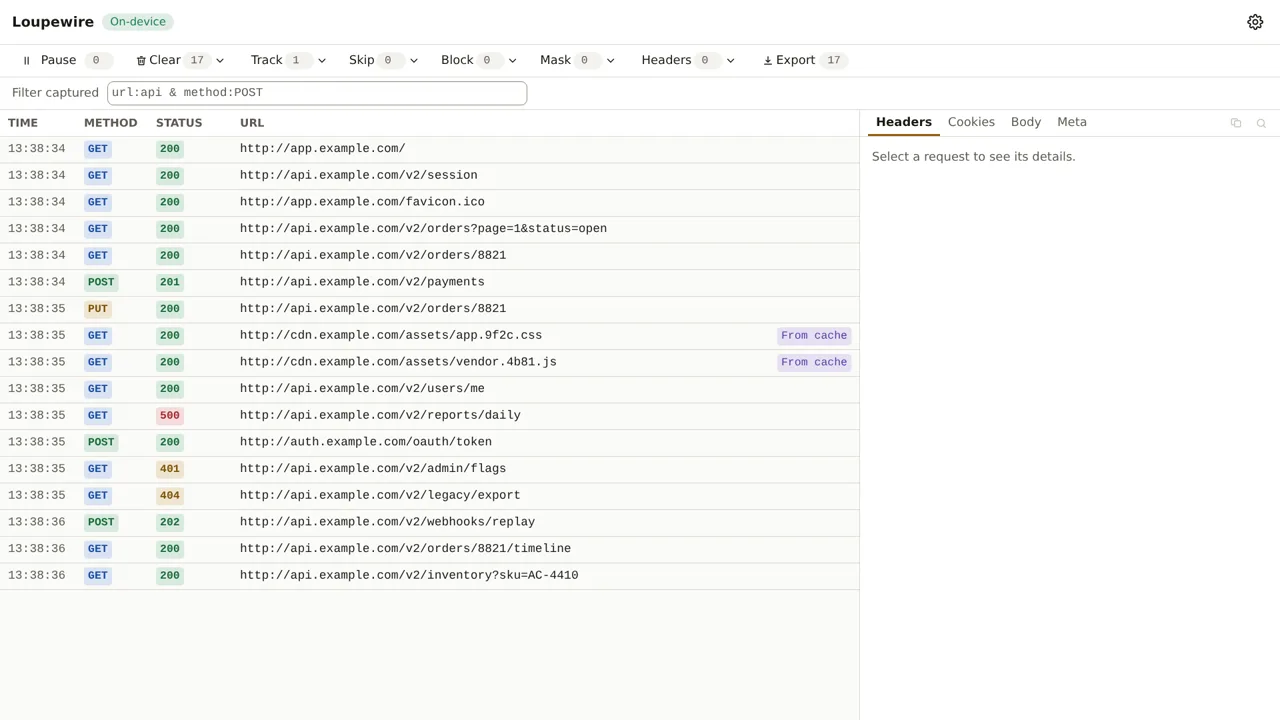
Here is the same page loaded twice. First with a Track pattern alone, example.com, which matches
everything the page does:
Then the same traffic with cdn.example.com added to Skip. Those two URLs match the Track pattern
as well, and they are gone:
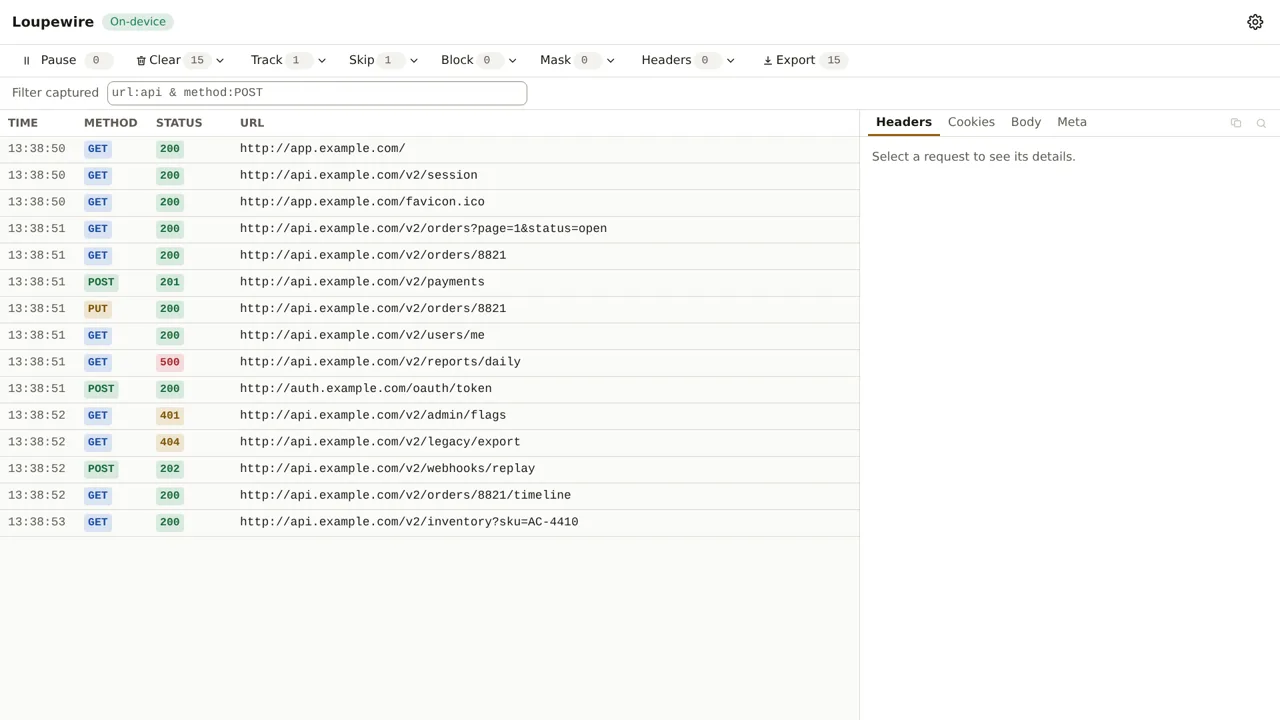
A request excluded this way leaves no trace at all: no row, no counter, nothing to recover. That is the point of it, and it is also the reason to reach for the filter bar instead when you are not sure yet. The filter only hides.
Block is the one with characters it refuses
Block does not match inside the page like the other three. It hands your pattern to the browser's own rule engine, which is how a blocked request is never sent at all. The browser's rule language reads three characters as syntax rather than as text:
*is a wildcard,^matches a separator,|anchors to the start or the end of the URL.
Type one of them into Block and the pattern is refused: "* ^ and | have a special meaning in a
block rule, so this would match more than what you typed." The refusal is deliberate. The browser
would accept a*b happily, write the rule, show you the chip — and match URLs you never described.
Nothing on screen would be wrong, which is worse than being told no.
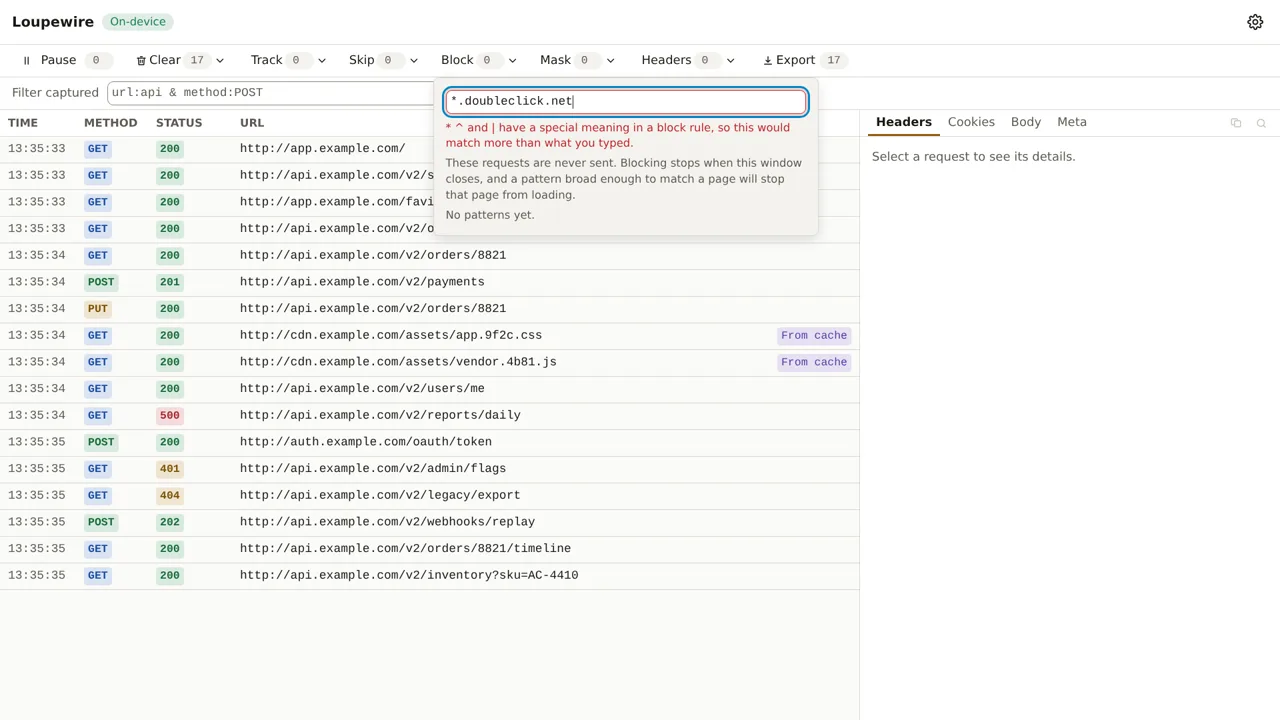
Block also requires plain ASCII, and here the refusal comes with a way out: the browser encodes a
URL before matching it, so type the encoded form. bücher.de is xn--bcher-kva.de.
The other three lists accept those characters happily, and Skip positively needs them, because the
filter bar spells alternation with |.
The same grammar applies to the URL filter on a request header rule, which is the fifth input that takes a pattern in this product. It becomes a browser rule too, so it refuses the same three characters for the same reason. See Request header rules.
This window, or every window
Every list exists twice.
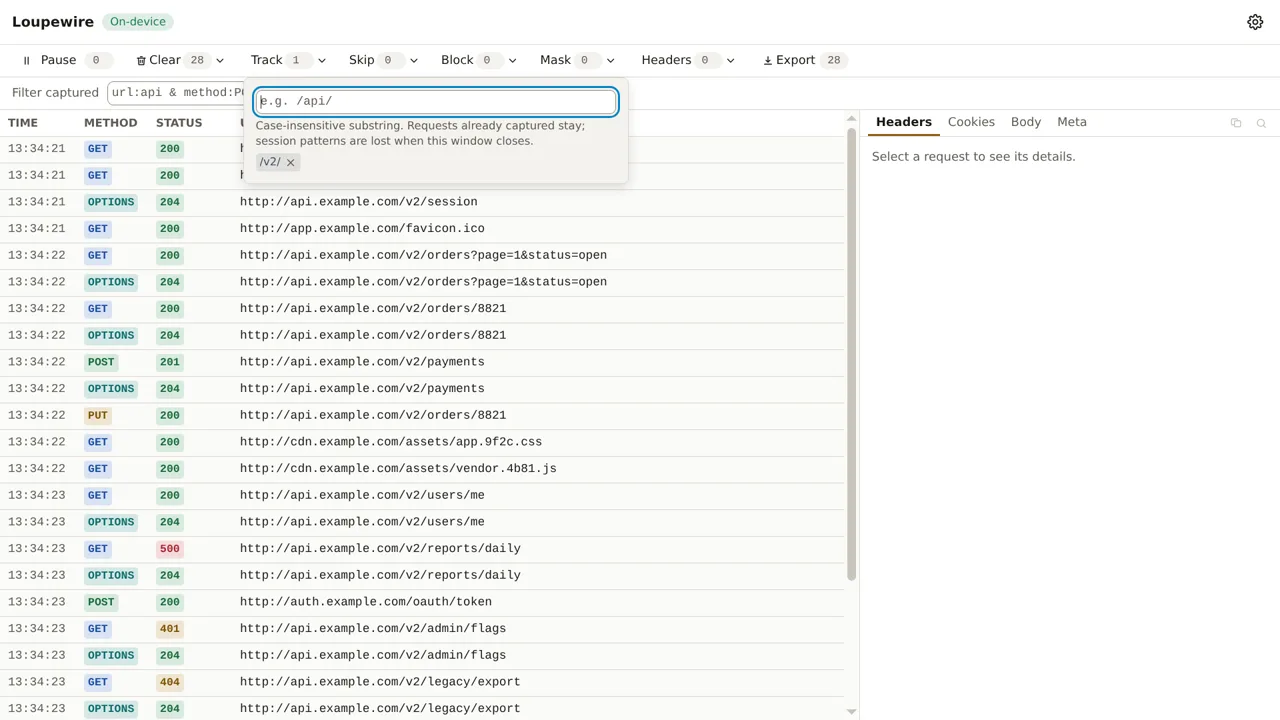
- Session patterns are typed in the tracker's toolbar. They apply to this window and they are gone when it closes. The note under the input says it: "Case-insensitive substring. Requests already captured stay; session patterns are lost when this window closes."
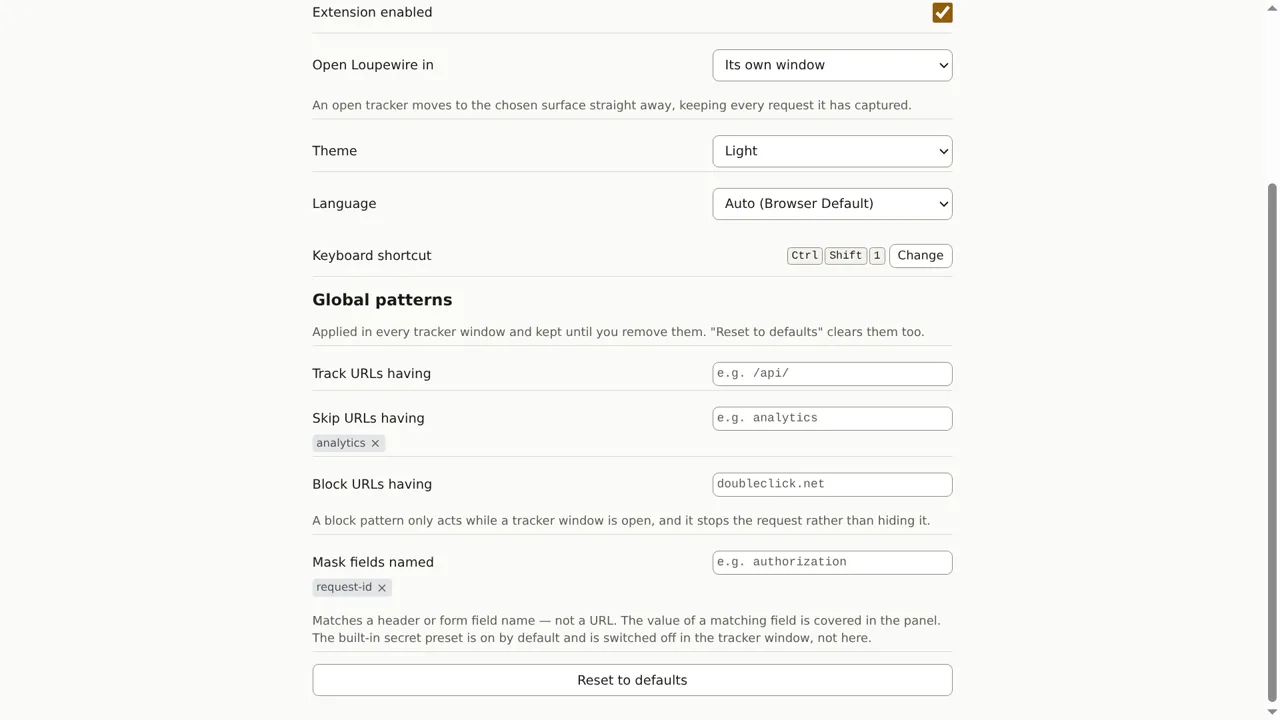
- Global patterns are typed in Settings. They are stored, and they apply to every tracker window from now on.
The two lists are merged, not overridden. A global list is your always-on baseline; a session pattern is an addition for the next hour. That is why you do not have to retype your global list to add one entry temporarily.
Global patterns are shown in the tracker too, prefixed "From options:" and without a remove button — you remove them where you wrote them. They are listed there so that a request vanishing because of a rule you wrote weeks ago is explainable from the window where it happens.
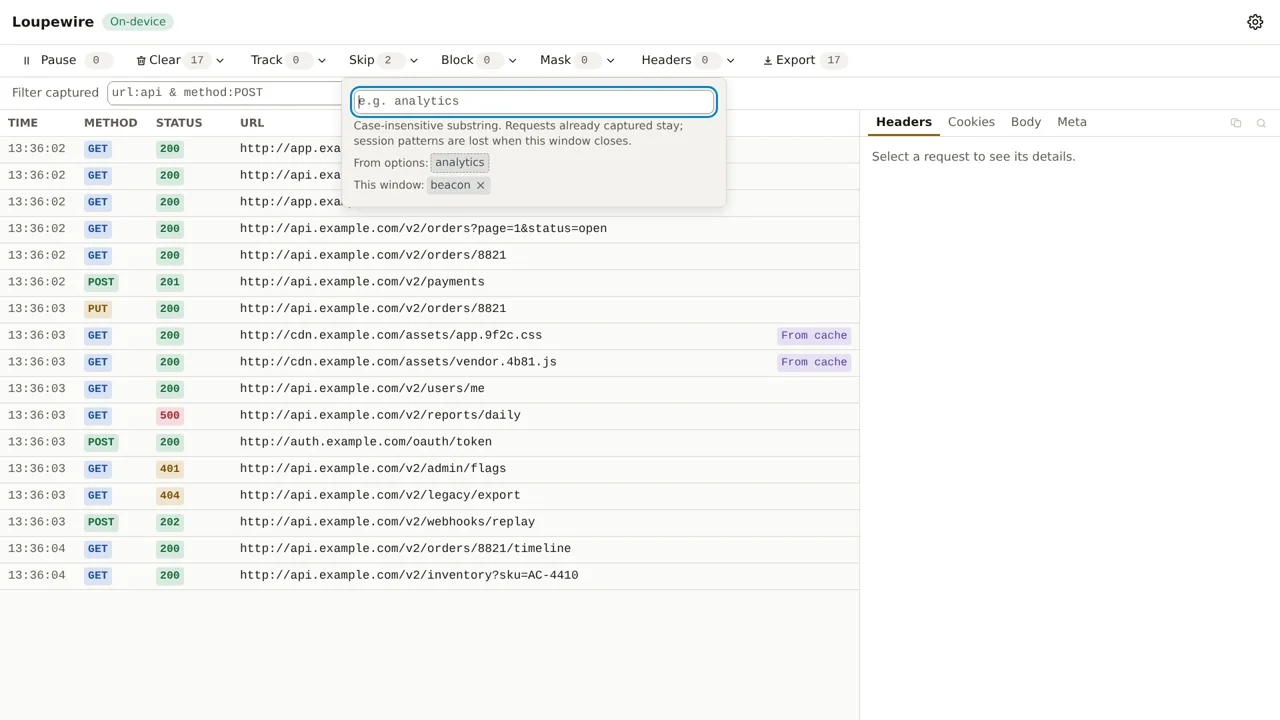
Typing a session pattern that a global pattern already covers is refused, with "Already applied from options". It would put two chips on screen for one rule, and removing the session copy would leave the global one still matching, which reads as a broken remove button.
Common mistakes
- A URL typed into Mask. Mask matches field names. See the section above; it is the mistake this page exists for.
- A Track pattern that excludes more than it includes. The moment the Track list has one entry, everything not matching it stops being recorded — including the redirect you were about to follow.
- Expecting Skip to free up memory. Skip keeps new requests out; it does not remove rows already captured, and it does not give back what they cost. Use Clear for that.
- Expecting Block to hide rows. A blocked request is exactly the one you want to see, so it still appears in the table, marked as blocked. Block is not a quieter Skip — see Block a request.
- The same word in two lists. Mask
tokenand Skiptokenare unrelated rules about different things, and both are accepted. Only a duplicate within one list is refused.
Not in this version
Regular expressions, wildcards and matching by HTTP method are on the roadmap. Patterns cannot be grouped or named yet, and there is no import or export of a pattern set; environment profiles, which switch a whole set at once, are a planned feature and not available today.