
Track and Skip
Two lists that decide what the tracker records at all. What Skip removes is gone for good, which is why the filter bar exists beside them.
Updated
One news page is several hundred requests: fonts, images, analytics beacons, ad calls. The request you opened the tracker for is somewhere in there. Track and Skip keep the noise out from the start, before it ever becomes a row.
Both take a pattern. If you have not read Patterns: one rule, four places, read it first — this page is about what these two lists do with a pattern, not about how a pattern matches.
What each list does
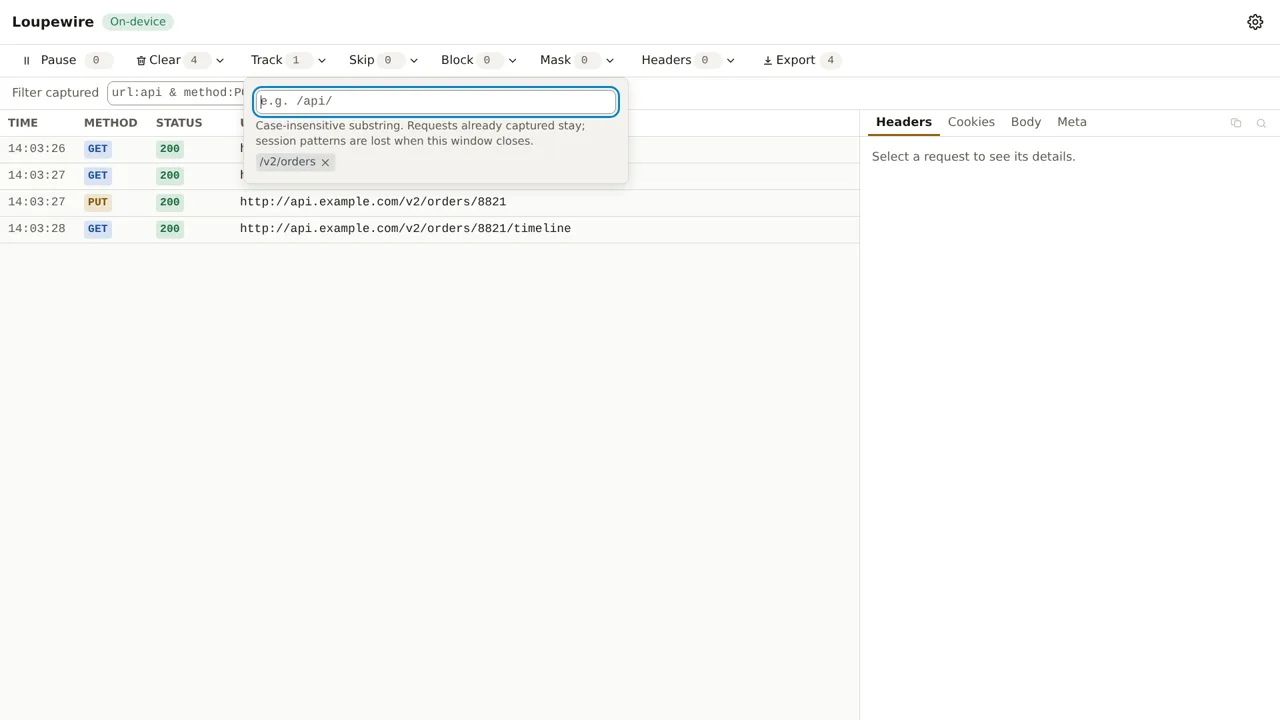
- Track is an allow list. While it is empty, everything is recorded. The moment it has one entry, only requests matching an entry are recorded.
- Skip is a deny list. Anything matching an entry is not recorded, whatever else says otherwise.
The tracker applies them together, for every request:
record it if Track is empty or the URL matches a Track pattern, and the URL matches no Skip pattern.
Skip wins, and what that costs
A URL matching both lists is not recorded. Skip is the more specific statement — you are naming noise inside a region you otherwise want — so it wins.
What that costs is worth being plain about: a request Skip excluded leaves no trace at all. No row, no counter, no "3 requests hidden" anywhere. Nothing in the window knows it happened, and removing the pattern afterwards does not bring it back — patterns act from the moment they exist.
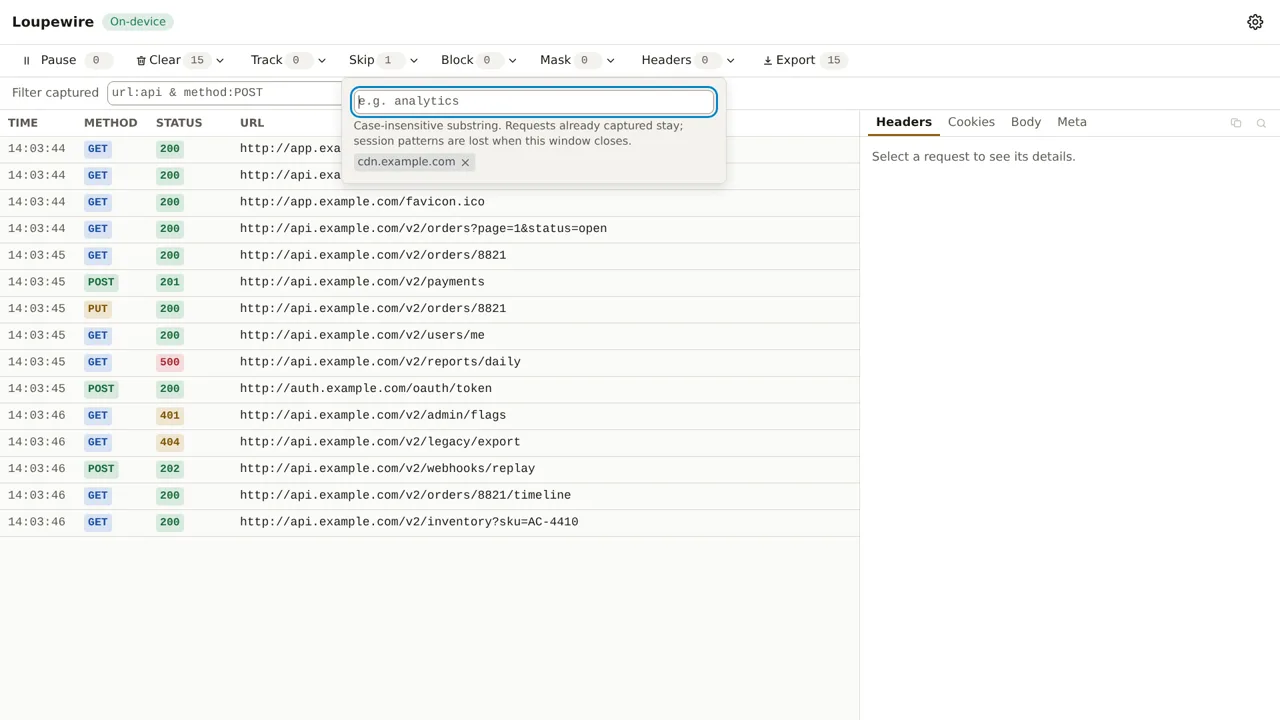
That is the whole reason the filter bar exists beside these lists. The filter only hides, so a mistyped filter costs you nothing. A mistyped Skip pattern costs you the evidence.
Use Skip for noise you are sure about — a telemetry host, an ad network, a polling endpoint you already understand. Use the filter while you are still looking.
This window, or every window
Patterns typed in the tracker's toolbar belong to this window and die with it. Patterns in Settings are stored and apply to every tracker window from now on, and they are shown here too, labelled "From options:" and without a remove button — you remove them where you wrote them.
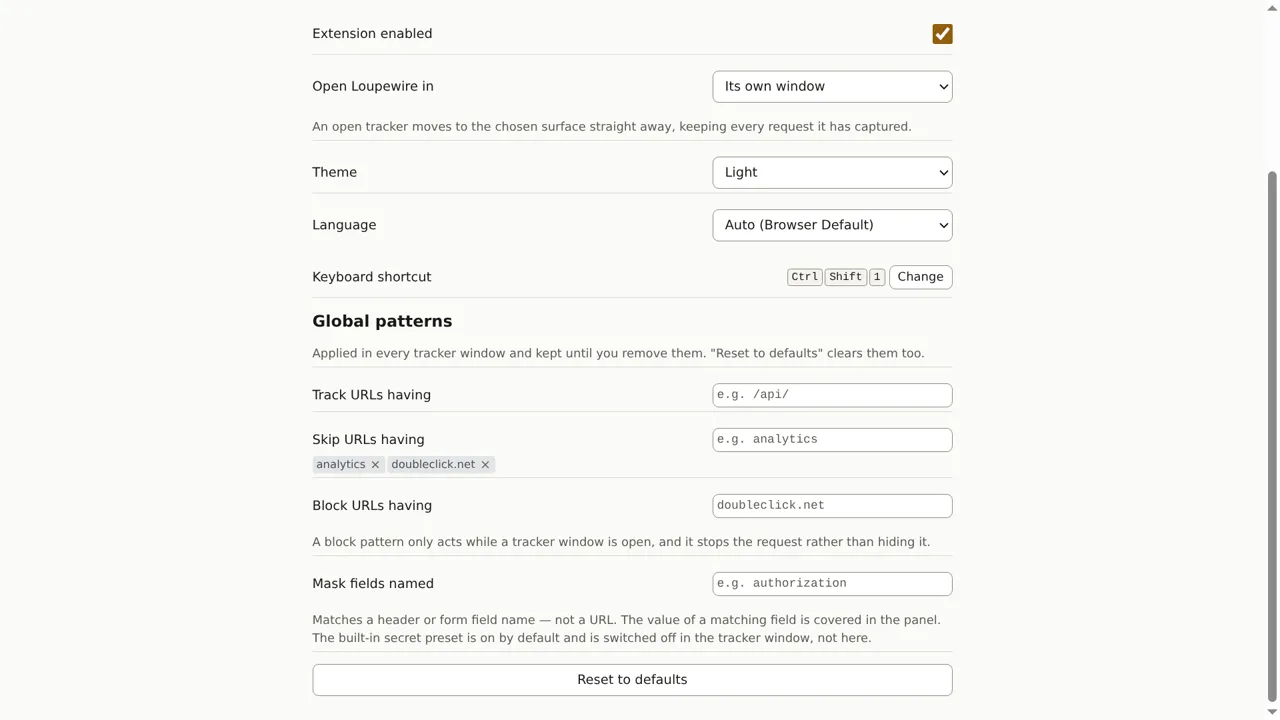
A global Skip list is the one most worth building: the hosts you never want to see are the same every day. Keep session patterns for the thing you are debugging this hour.
Common mistakes
- One Track entry that excludes everything else. The list is empty by default for a reason. Add one entry and the redirect you were about to follow, the auth call you did not think about and the CDN request that explains the layout are all gone. Prefer Skip, or the filter.
- Skipping the host you are debugging.
example.comin Skip removes the API calls too. Name the narrowest thing that is really noise. - Expecting Skip to free memory. It keeps new requests out; it does not remove rows already captured, and it does not give back what they cost. Use Clear for that.
- Expecting Skip to hide rows you can still get back. That is the filter. Skip is not a quieter filter, it is a decision not to record.
- Typing a pattern into the tracker that Settings already has. It is refused, with "Already applied from options" — the rule is already in force, the chip is already on screen.
Not in this version
Regular expressions, wildcards and matching by HTTP method are on the roadmap. So is counting what the patterns excluded: it is useful for noticing an over-eager Skip, and it is also a count derived from traffic the product deliberately did not record, which is worth thinking through before building.