
Request header rules
Add or set a request header on every request that matches a URL filter, see it land on live traffic in the same window, and pause it with one click.
Updated
A header rule tells the browser to set a request header on every request whose URL matches a
filter, before the request leaves the browser. The usual reasons: an Authorization token for a
staging API, a feature-flag header, a tenant or a debug user, so you can reproduce what a customer
sees without touching the page's code and without a proxy.
The rule is applied by the browser's own rule engine, not by a script in the page, and the request you see in the table is the one that was actually sent, header included.
Open the rules
Open the tracker window with Ctrl+Shift+1. In the toolbar, the
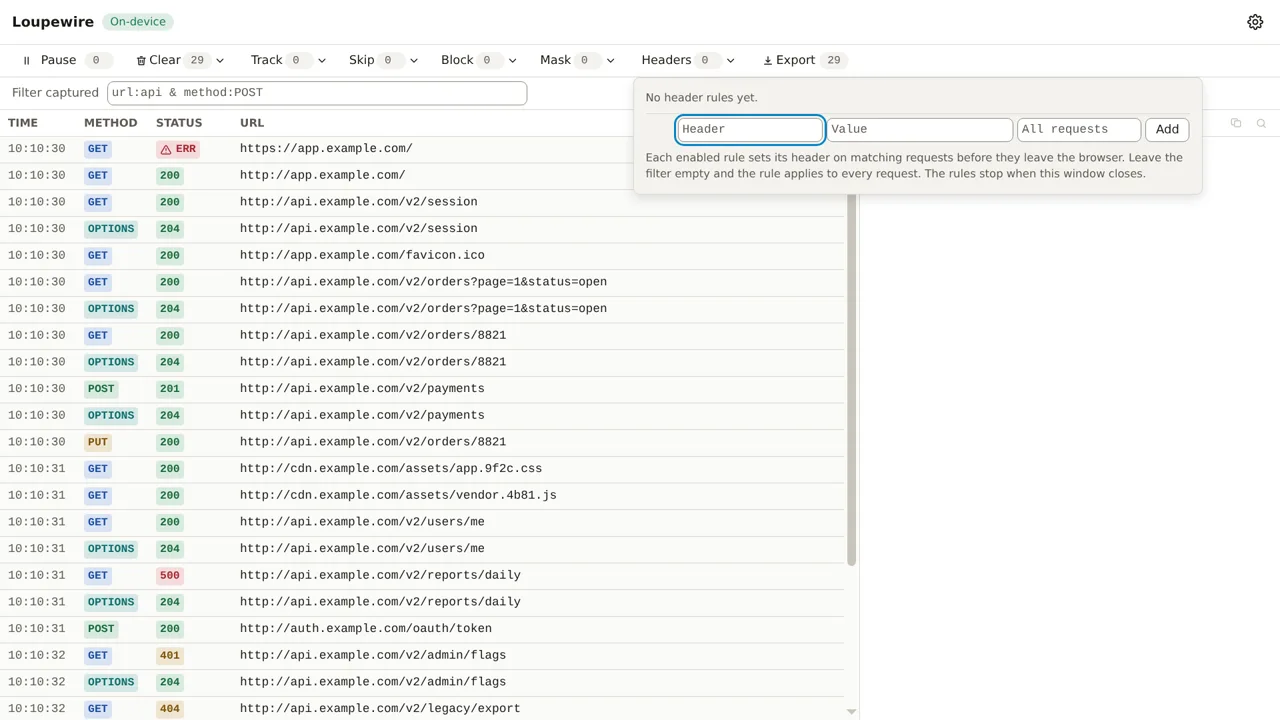
Headers button carries a count of the rules in force; click it to open the rules panel. On a
fresh install it says "No header rules yet."
Add a rule
A rule has three fields.
- Header: the name, for example
x-debug-userorAuthorization. Letters, digits and the usual token characters; no spaces, no colons. - Value: what to send. It goes on the wire exactly as typed, so it must be plain ASCII. An empty value is allowed; it is a legal header value.
- URL filter: a plain, case-insensitive substring of the URL, such as
api.example.comor/v2/. Leave it empty and the rule applies to every request the browser makes while the tracker is open. It follows the same matching rules as the four pattern lists, which Patterns: one rule, four places explains once for all five inputs.
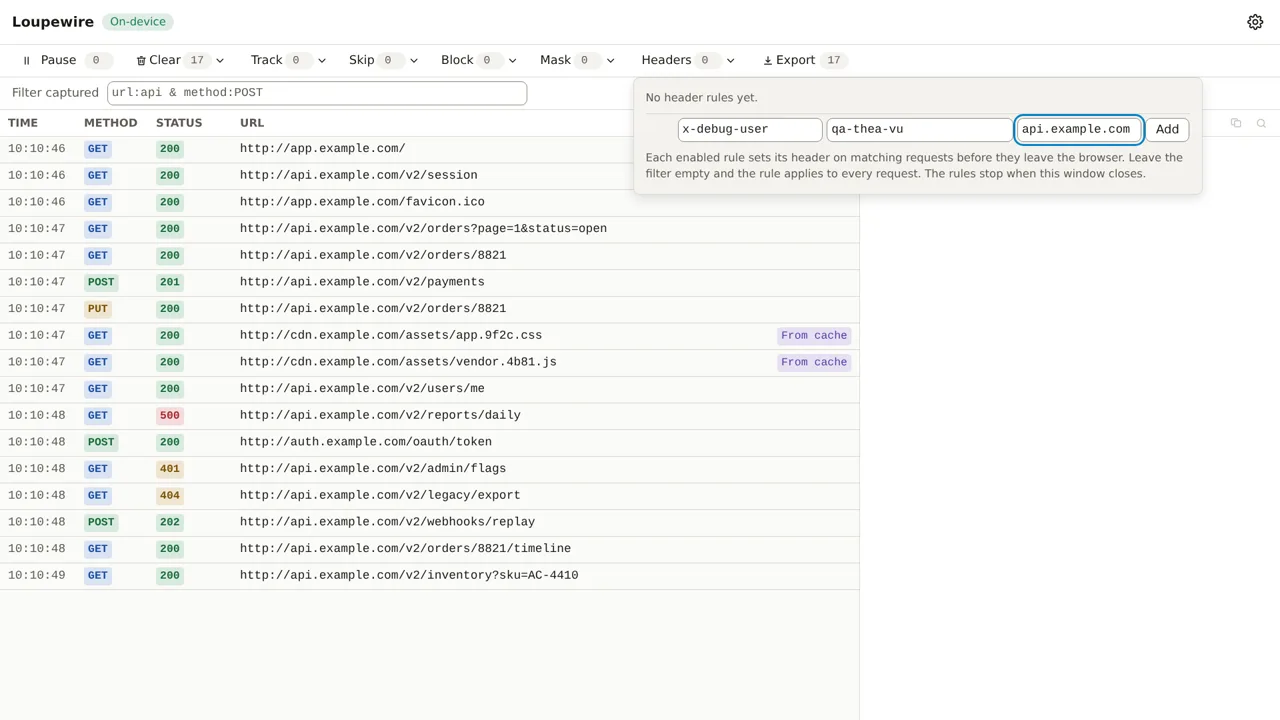
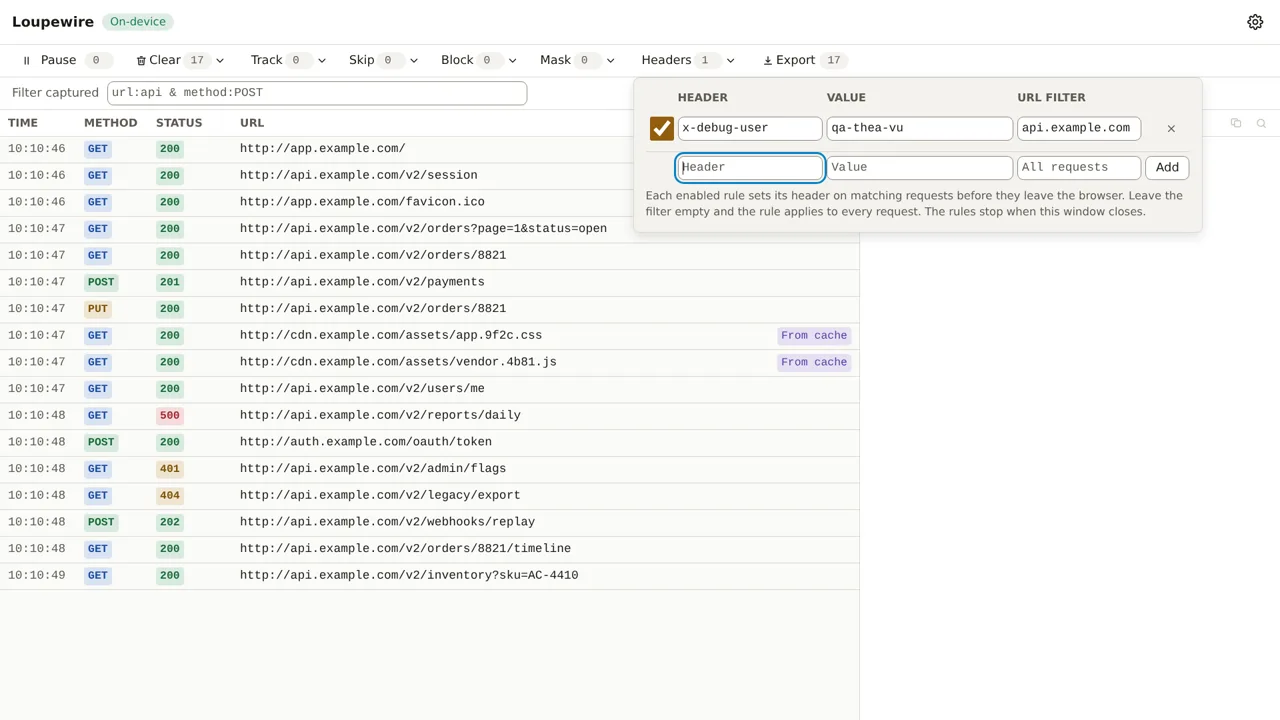
Click Add. The rule is in force the moment it lands: the row appears with its checkbox ticked and the count on the Headers button goes up by one. There is no save step.
Think twice before leaving the filter empty. A rule with no filter attaches its header to every site loaded while the tracker is open. For a token, that means sending your credential to every host you visit. Name the host you mean.
See it land
Reload the page you are testing, or let it make its next request. Select a request whose URL matches the filter and open its Headers tab. The header is there, with the value you typed, and below it a note: "Matches one of your header rules".
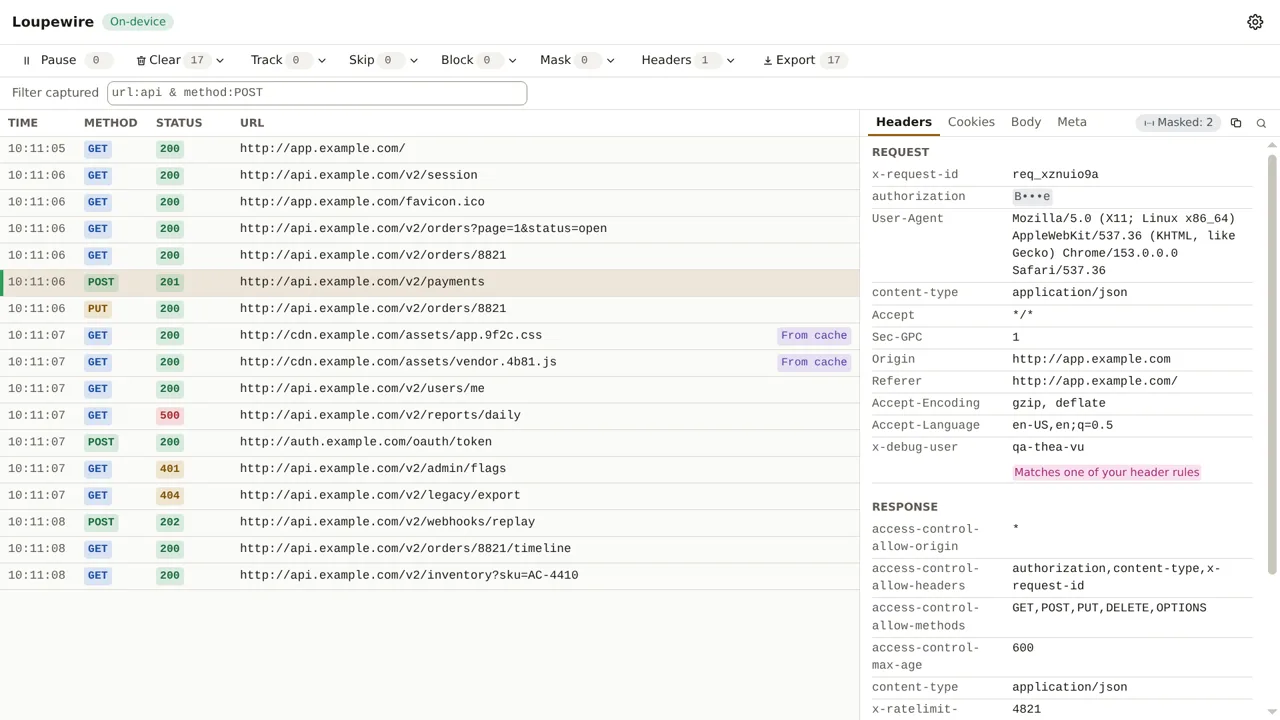
Two things worth knowing about what you see there:
- The name comes back in lowercase. A rule written as
Authorizationlists asauthorization, next to browser-generated headers that keep their capitals. That is how the browser reports a header set by a rule; header names are case-insensitive, so nothing depends on it. - Masking still wins. If the header is also covered by a mask pattern, such as the built-in
one for
Authorization, the panel shows the masked value and the rule note together. A rule you wrote is not a reason to uncover a token.
The note means the request matches an enabled rule. A request captured before the rule existed shows its old value and is marked all the same, because the mark is about the rule, not about what changed.
Headers that get a warning
Nothing is refused by name. Some headers are part of how the connection itself works, and editing
one may break the request rather than change it: Host, Connection, Content-Length,
Transfer-Encoding, Keep-Alive, Upgrade, TE, Trailer, and anything starting with
Proxy- or Sec-. Add one of those and the rule is accepted like any other, but its row carries
an alert triangle; hover or focus it and it says that editing this header may break the request
rather than change it.
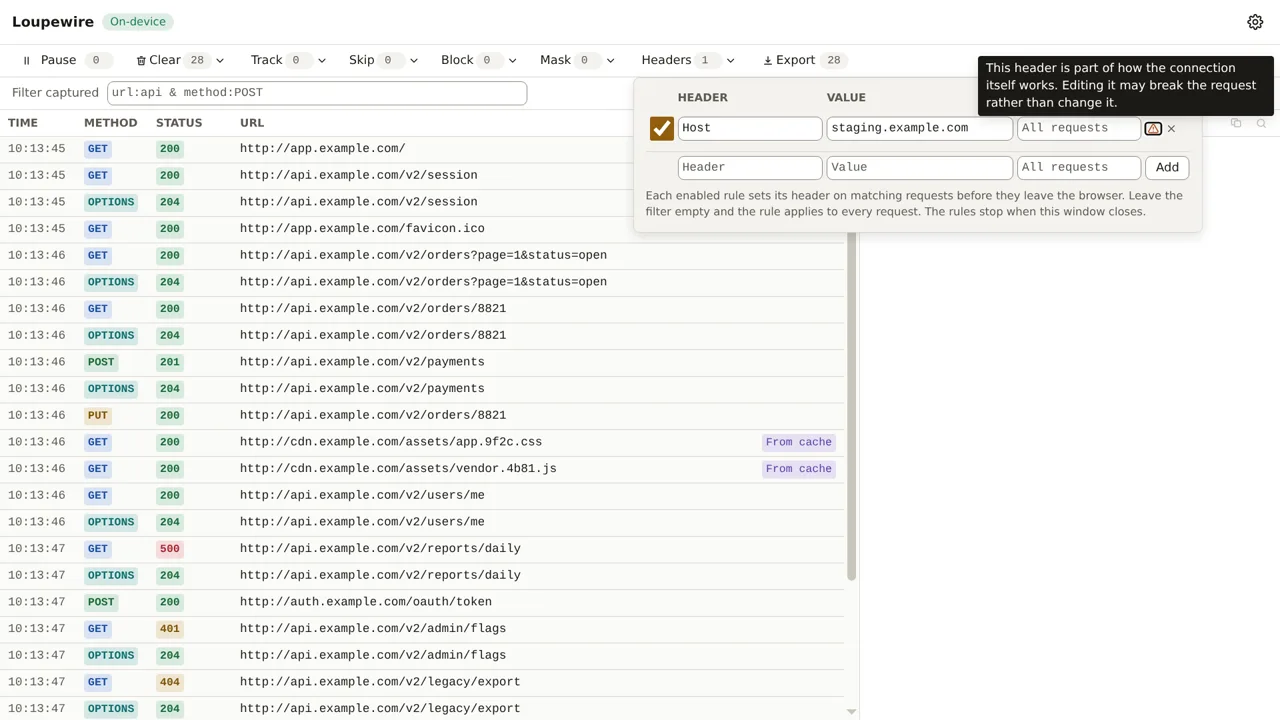
A wrong Content-Length, for instance, gets a 400 from most servers. Authorization, Cookie
and Origin are ordinary headers here and carry no warning.
What the panel does refuse: a name that is not a valid header name, a value with characters outside
plain ASCII, a filter containing *, ^ or | (the browser would read those as pattern syntax),
and a second rule with the same header and the same filter.
Pause, and what happens when the window closes
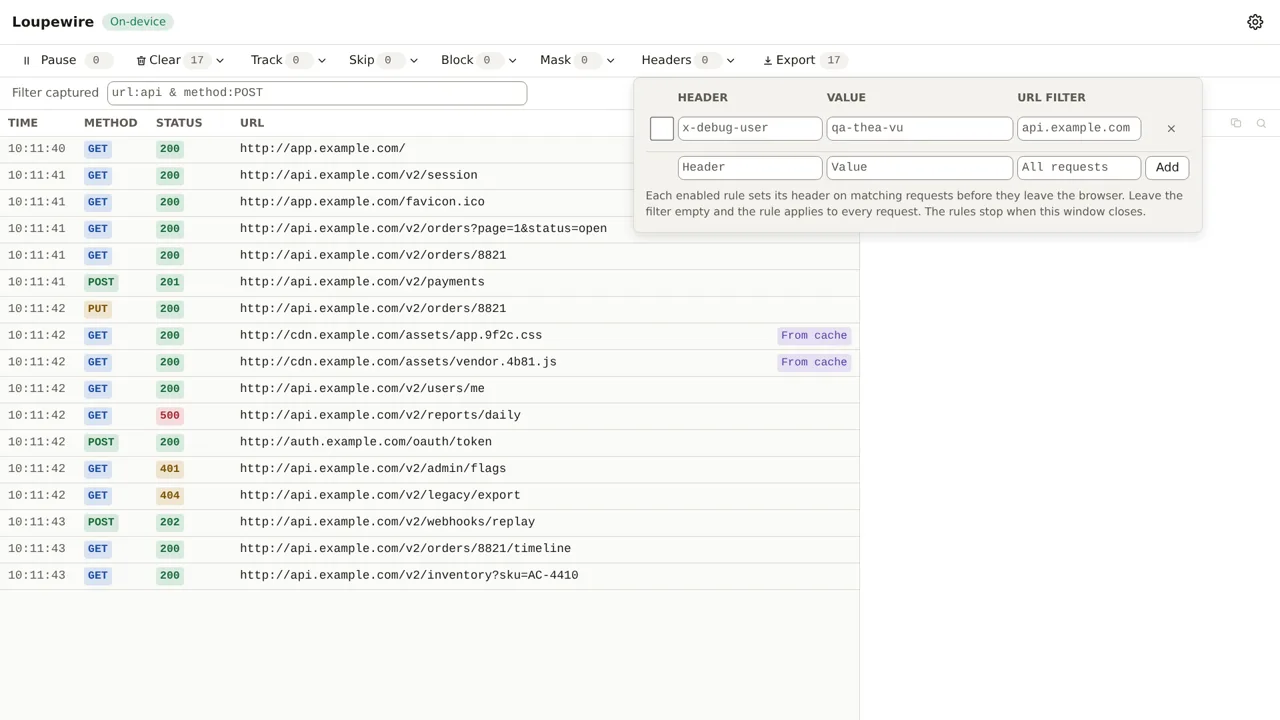
Untick a rule to pause it. It stays in the list, the count goes down, and the next matching request goes out without the header. Tick it again to resume. The delete button removes it for good.
Rules exist only while the tracker window is open. Close the window and every rule stops; open it again and the rules you kept come back into force. Nothing is left running in the background that could keep attaching a header without a window to show it.
Common mistakes
- The header is not on the request you are looking at. Check the filter against the full URL,
scheme included.
api.example.commatcheshttps://api.example.com/v2/orders;example.com/apidoes not. - You expected the header on the page load itself. It is there. Rules apply to every kind of
request, the top-level navigation included, not only to
fetchandXHR. - Two rules for one header on the same URL. The panel refuses an exact duplicate (same name, same filter). Two rules with the same name and different filters are allowed and can both match a URL; which value wins then is not defined, so give them filters that do not overlap.
- A response header rule. This panel sets request headers only. Editing response headers, for CORS or CSP experiments, is a separate feature that is not in this version.
Not in this version
Rules always set a header: they create it when absent and overwrite it when present. Appending to an existing value, removing a header, matching by regular expression or by HTTP method, and response header rules are on the roadmap and not available today.